Features
Visualisation Page
Analyse Mean Time-to-Fix (TTF) across DBMSs
View Number of Bugs Found across DBMSs
View Bugs Distribution across different Categories
Get DBMS Suggestion
Get Detailed View of each DBMS
Bugs List Page
Category Page
DBMS Page
Stakeholders Overview
| Stakeholders | Definition |
|---|---|
| SQLancer Developer | Developers of SQLancer interested in the progress and improvement of SQLancer |
| Backend Developer | Users interested in selecting DBMS for use in projects |
| Database Developer | Owners/Developers of the DBMS interested in debugging bugs found in their DBMS |
Feature Details
Feature: Analyse Mean Time-to-Fix (TTF) across DBMSs
This feature allows you to view the Mean Time-to-Fix (TTF) for each DBMS (in hours).
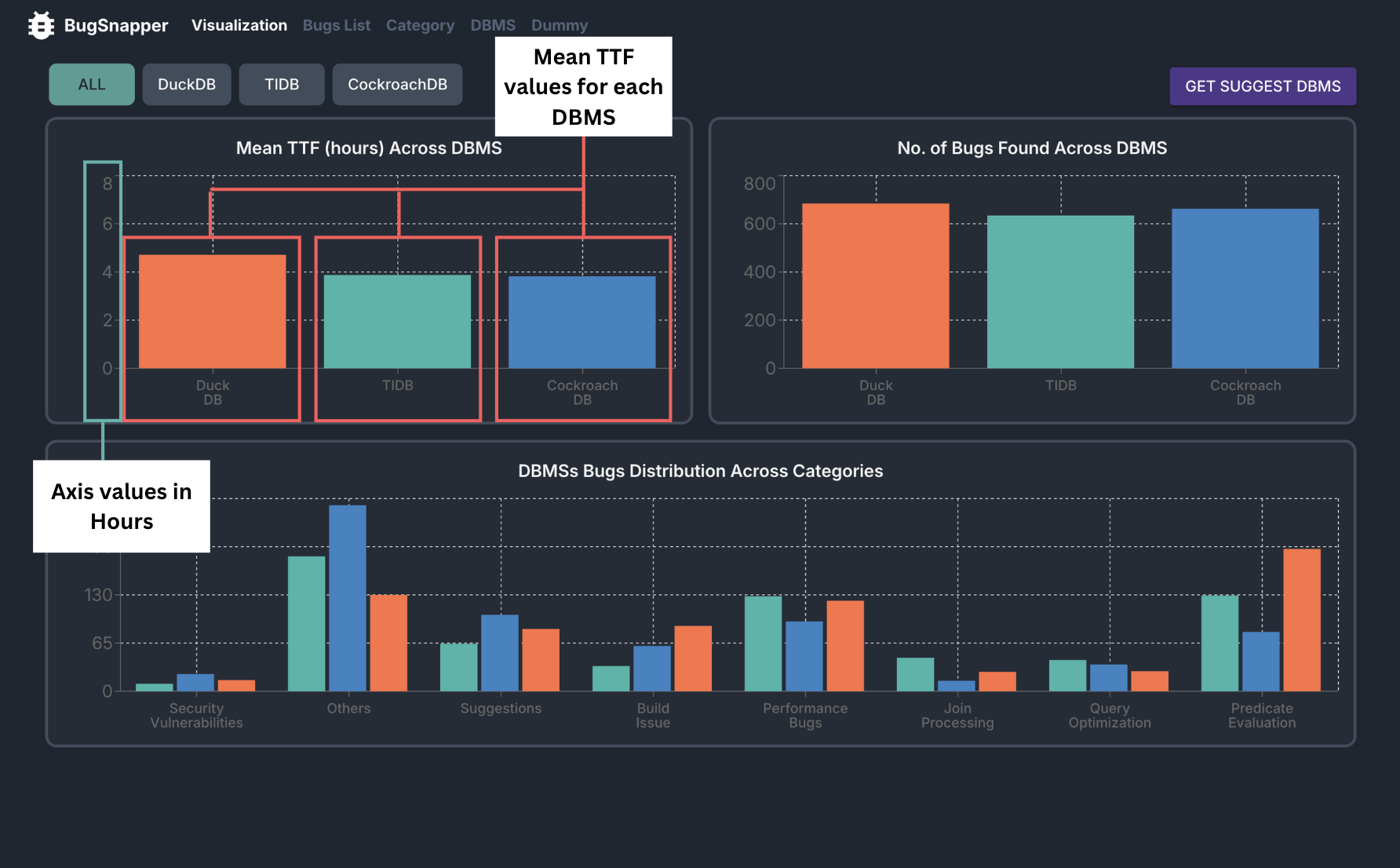 Mean-TTF Feature
Key Capabilities:
- It displays the TTF for each DBMS in a bar chart format, making it easy to compare the TTF across different DBMSs.
- The TTF is calculated using the issue creation and resolution dates from the GitHub API.
- The TTF is displayed in hours, providing a clear and comparable metric for each DBMS.
Steps to use
- Go to the Visualization Page.
- View the bar chart displaying the Mean TTF for each DBMS.
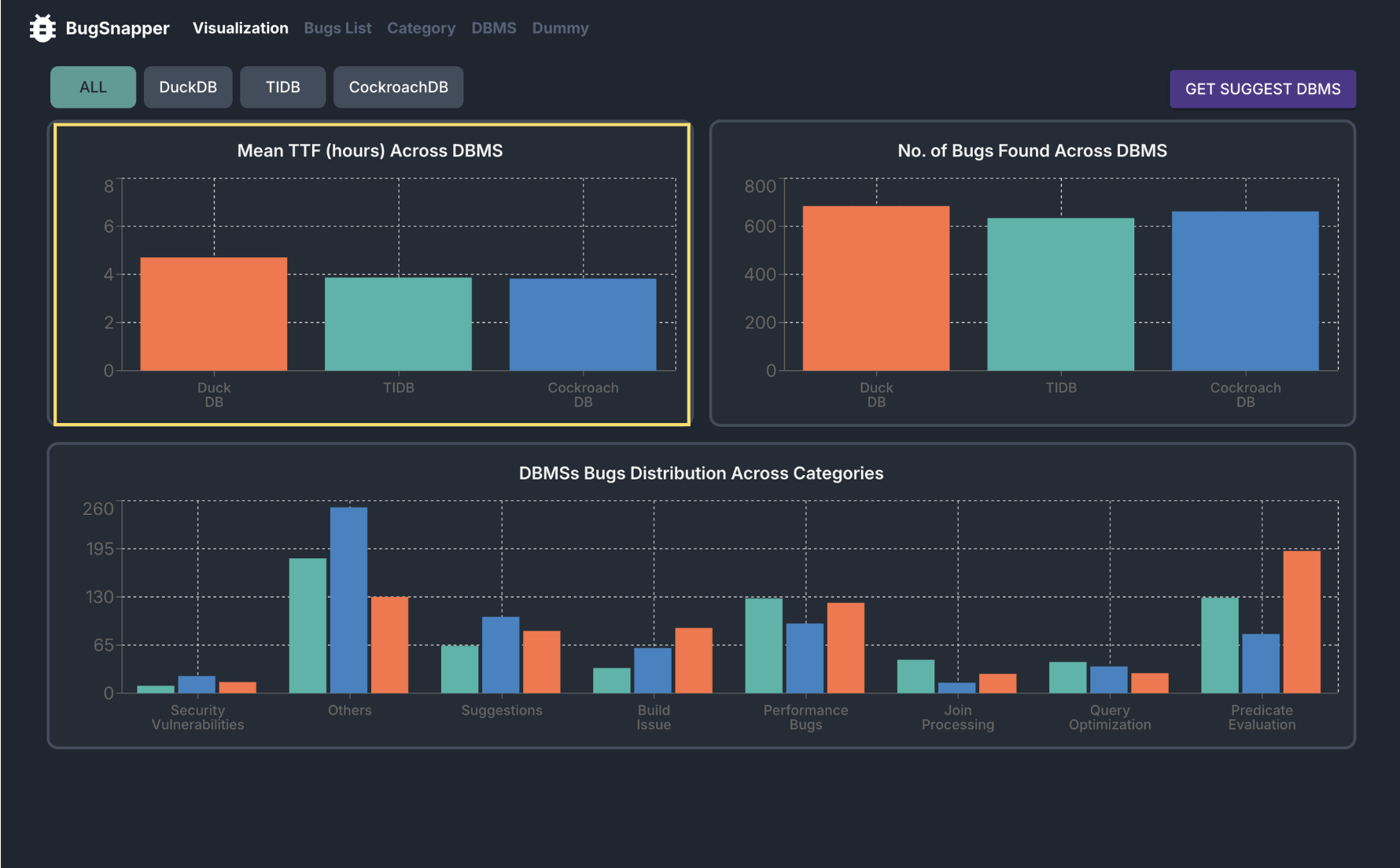
- Hover over each bar to see the exact Mean TTF value for that DBMS.
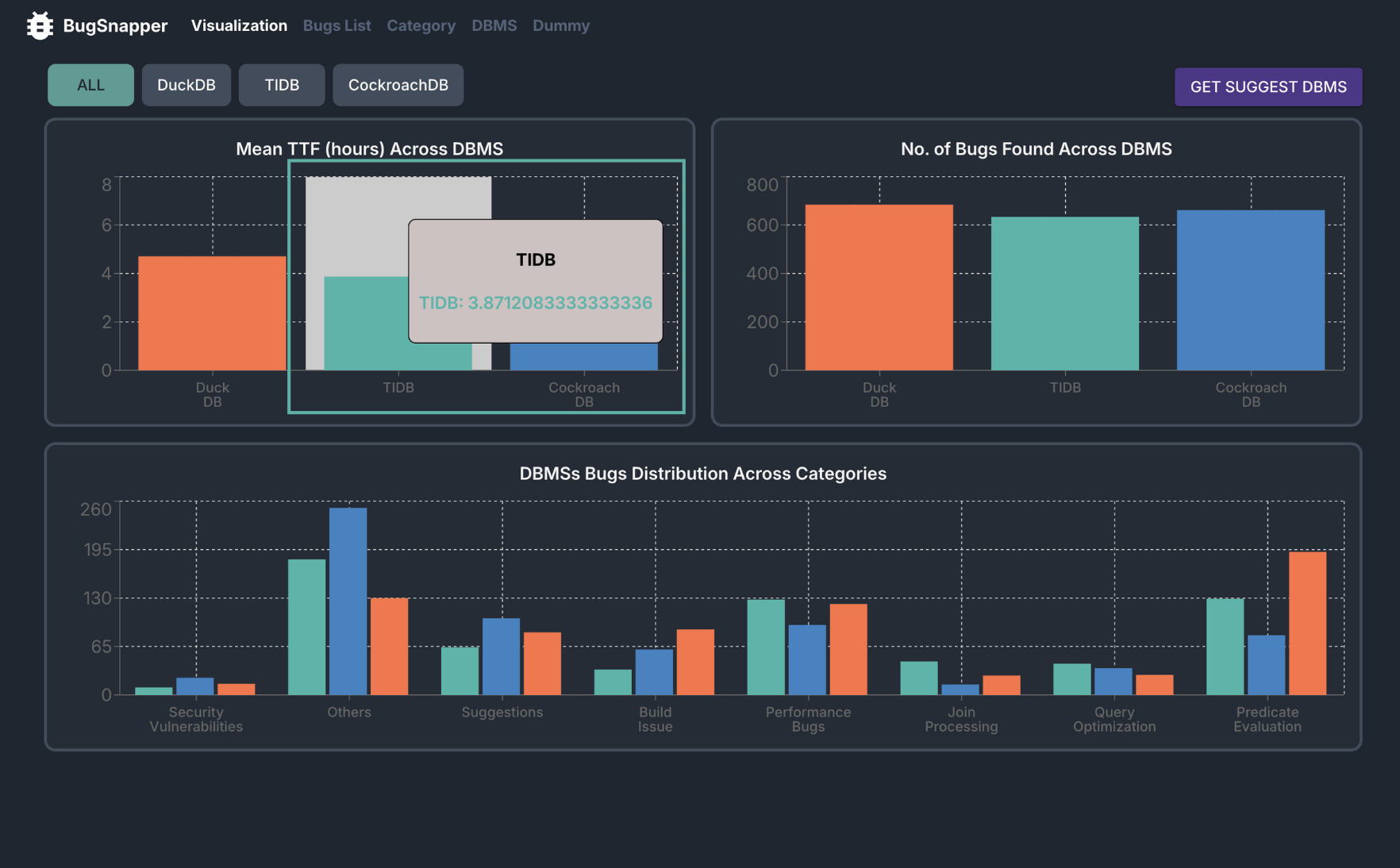
Feature: View Number of Bugs Found across DBMSs
This feature allows you to view the number of bugs found across different DBMSs.
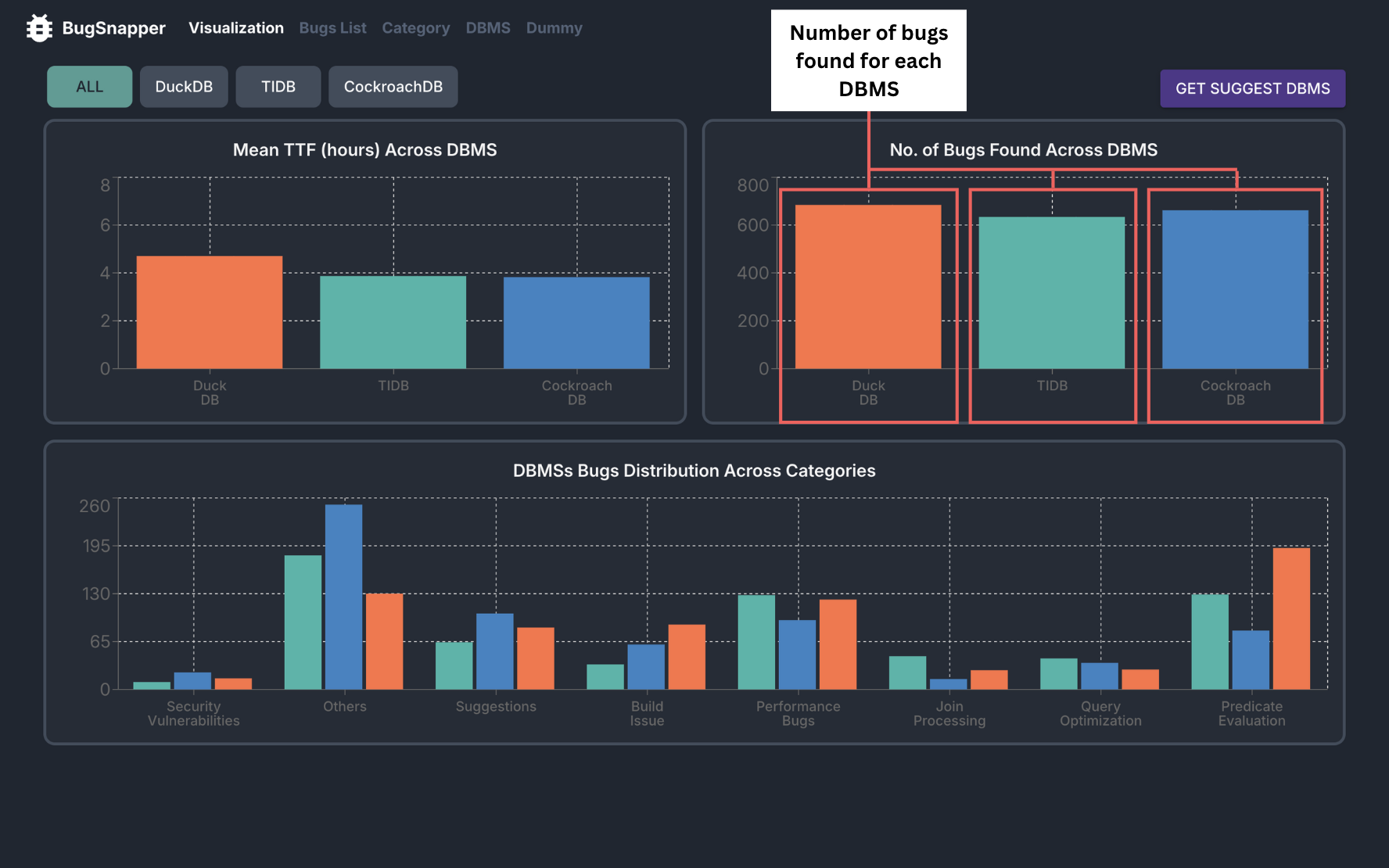 Number of Bugs Across DBMSs
Key Capabilities:
- It displays the number of bugs found across different DBMSs in a bar chart format, making it easy to compare the number of bugs across different DBMSs.
- The number of bugs is calculated using the issue data from the GitHub API.
Steps to use
- Go to the Visualization Page.
- View the bar chart displaying the number of bugs found across different DBMSs.
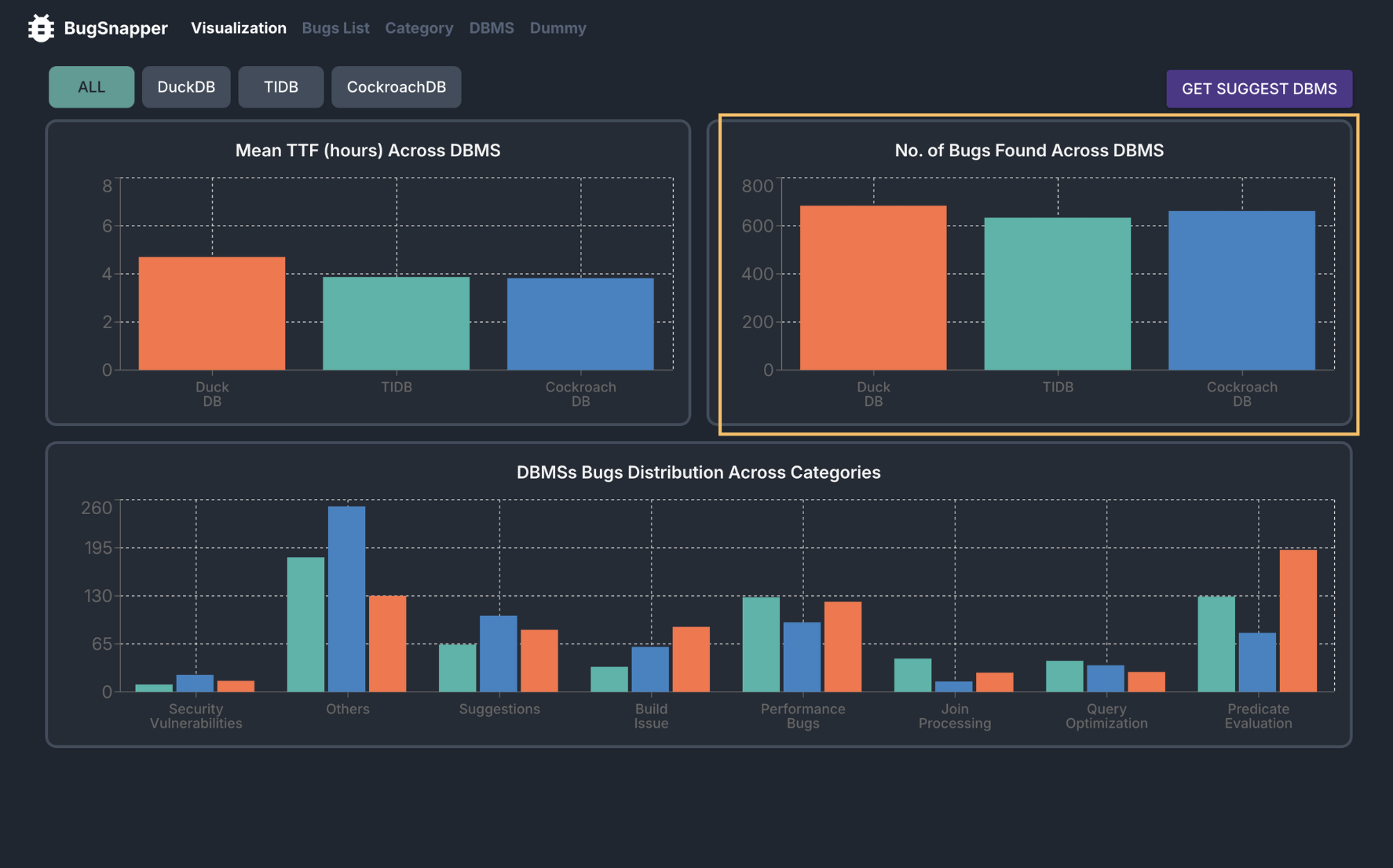
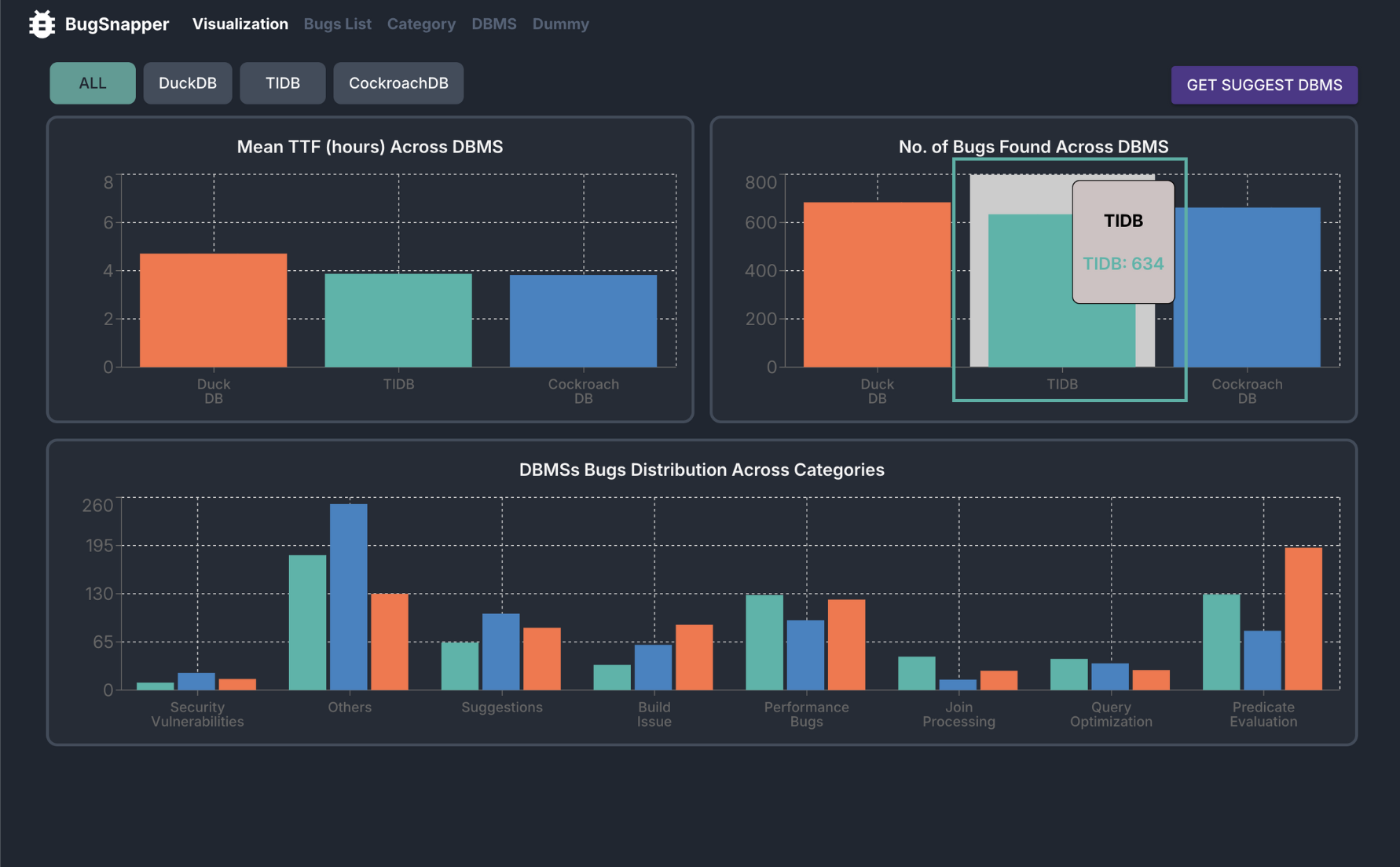
- Hover over each bar to see the exact number of bugs for that DBMS.
Feature: View Bugs Distribution across different Categories
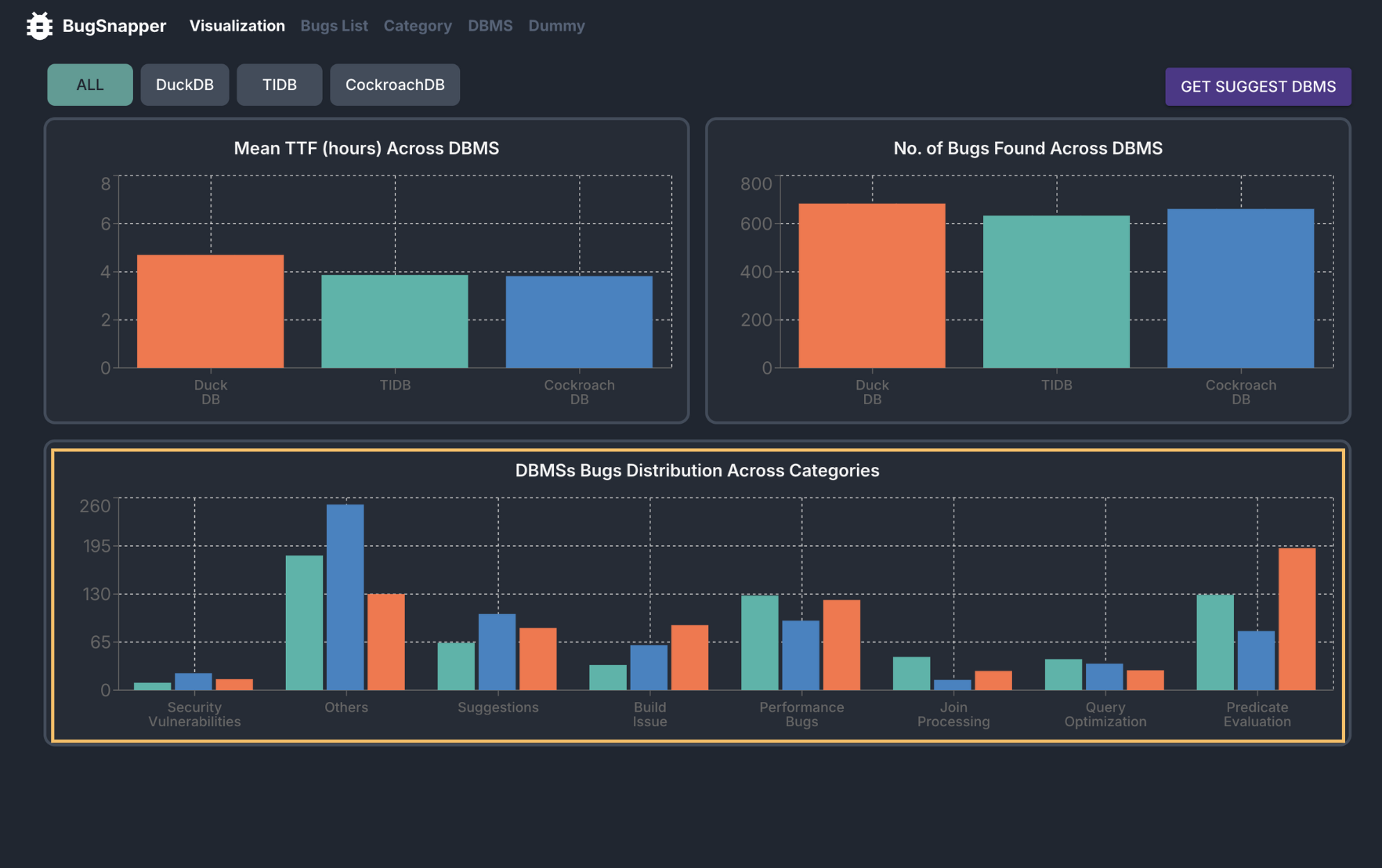
This feature allows you to view the distribution of bugs across different categories, for each DBMS.
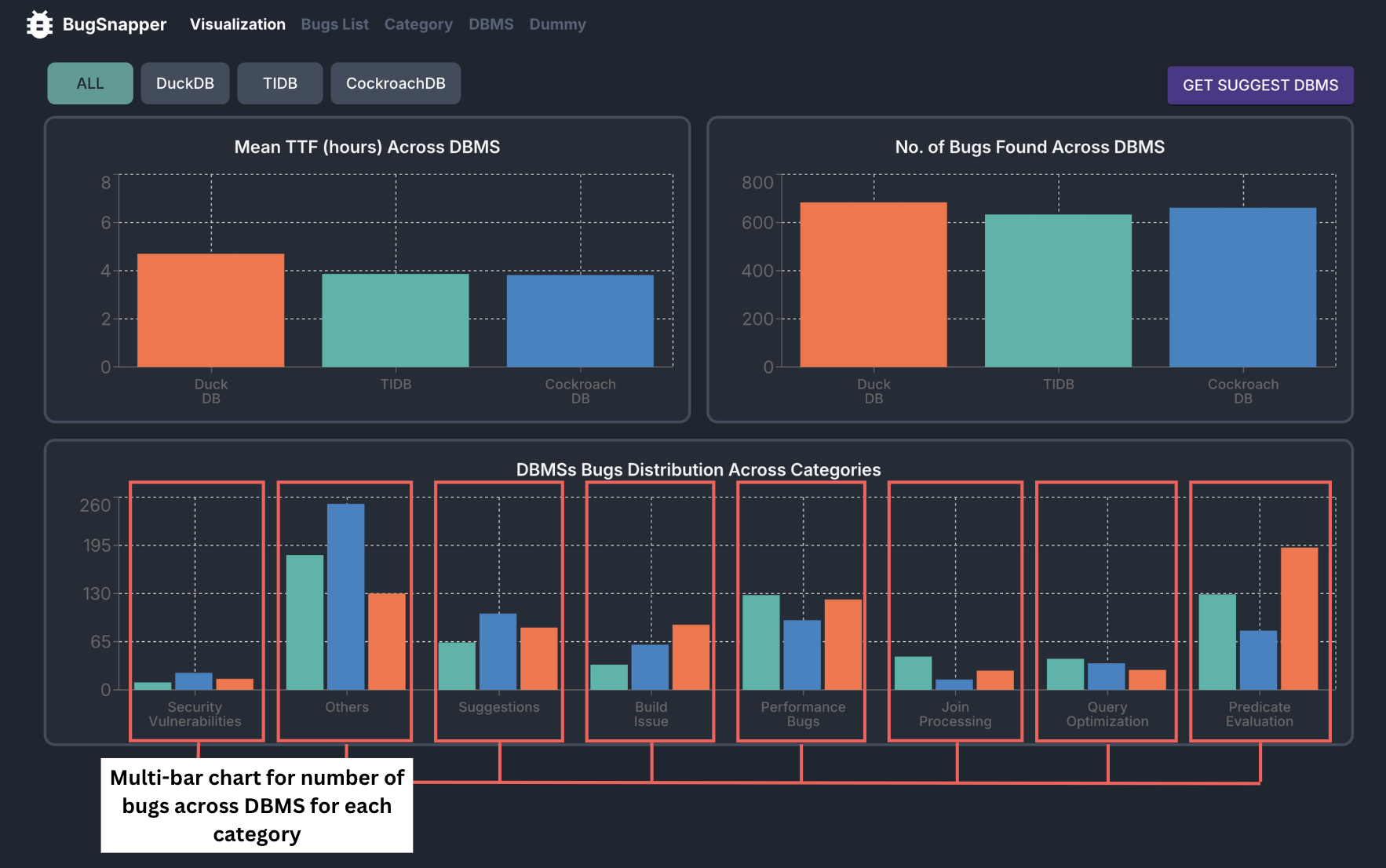 Bugs Distribution across Categories
Key Capabilities:
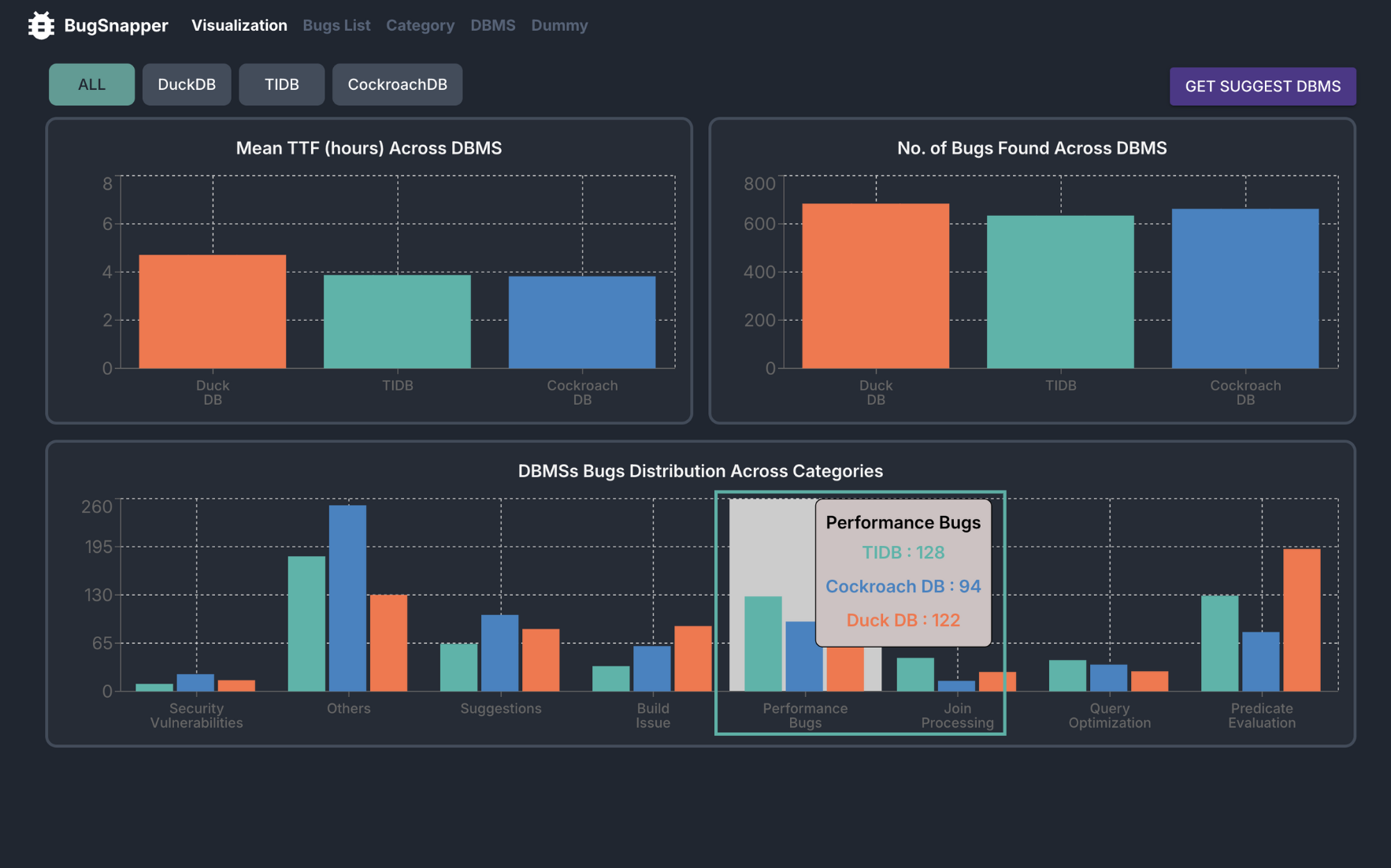
- It displays the distribution of bugs across different categories for each DBMS, making it easy to compare the distribution of bugs across different categories.
- The distribution is displayed in a multi-bar chart format, with each group representing a category and each bar representing a DBMS.
- The distribution is calculated using the issue data from the GitHub API, and the classification of bugs into categories by AI tools.
Steps to use
- Go to the Visualization Page.
- View the multi-bar chart displaying the distribution of bugs across difference categories for each DBMS.
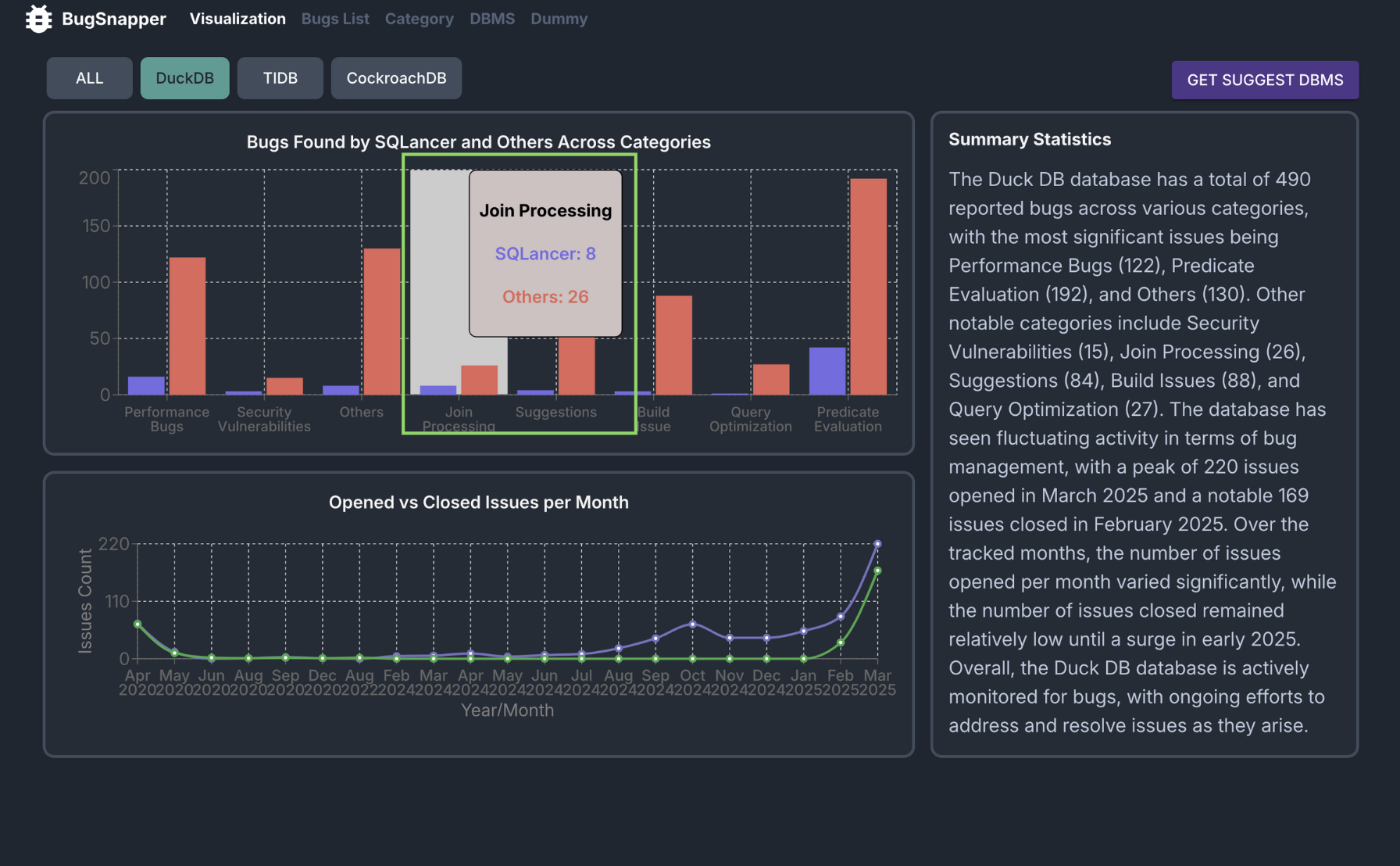
- Hover over each bar to see the exact number of bugs for that category and DBMS.
Feature: Get DBMS Suggestion
This feature recommends the most suitable DBMS based on your project’s requirements.
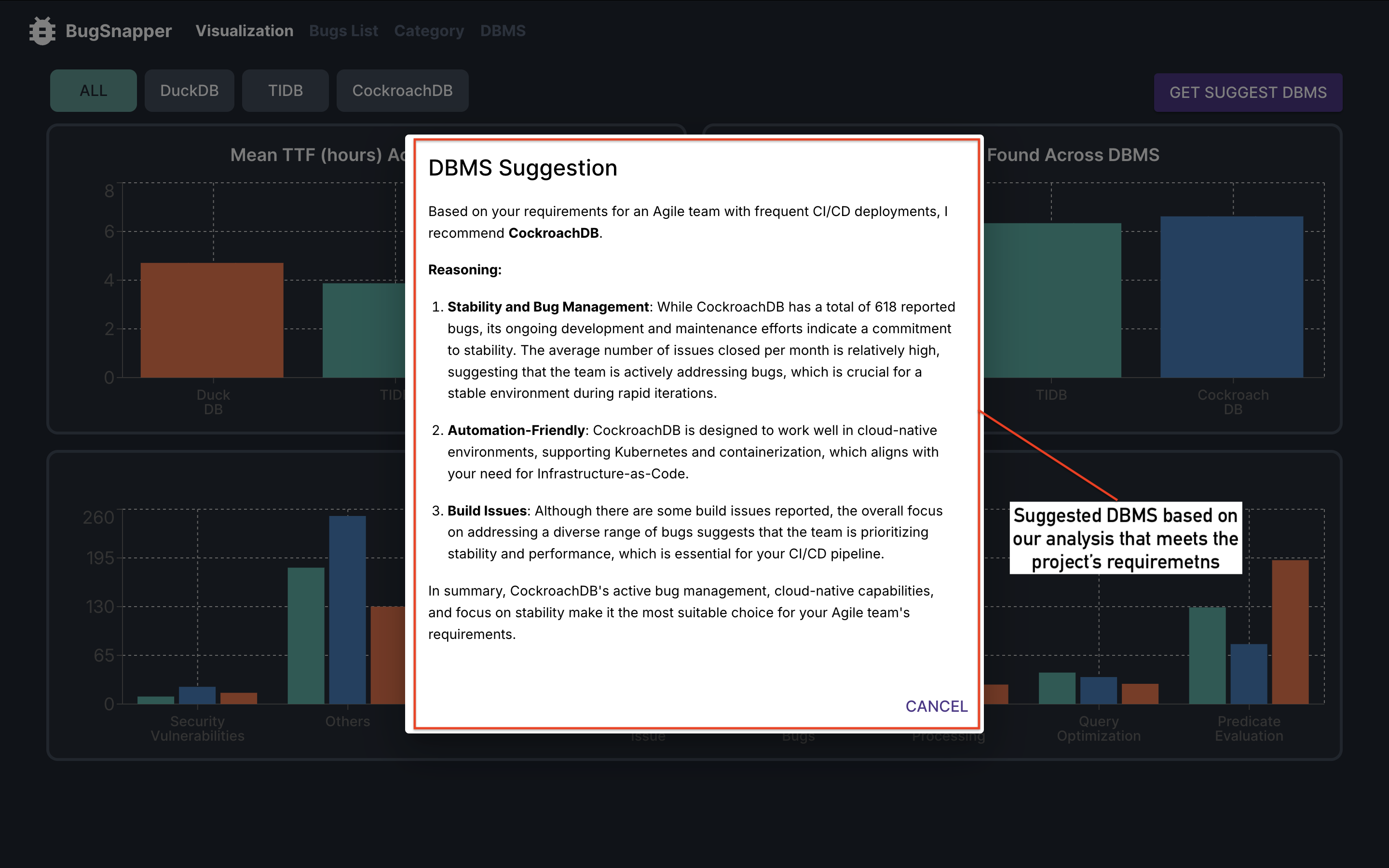 Suggested DBMS
Key Capabilities:
- The suggested DBMS takes into account the existing analyses conducted on our website.
- Currently, we support three DBMSs: DuckDB, TiDB, and CockroachDB. The suggestion will be limited to one of these supported options.
Steps to use
- Go to the Visualization Page.
- Click "GET SUGGEST DBMS" in the top-right corner.
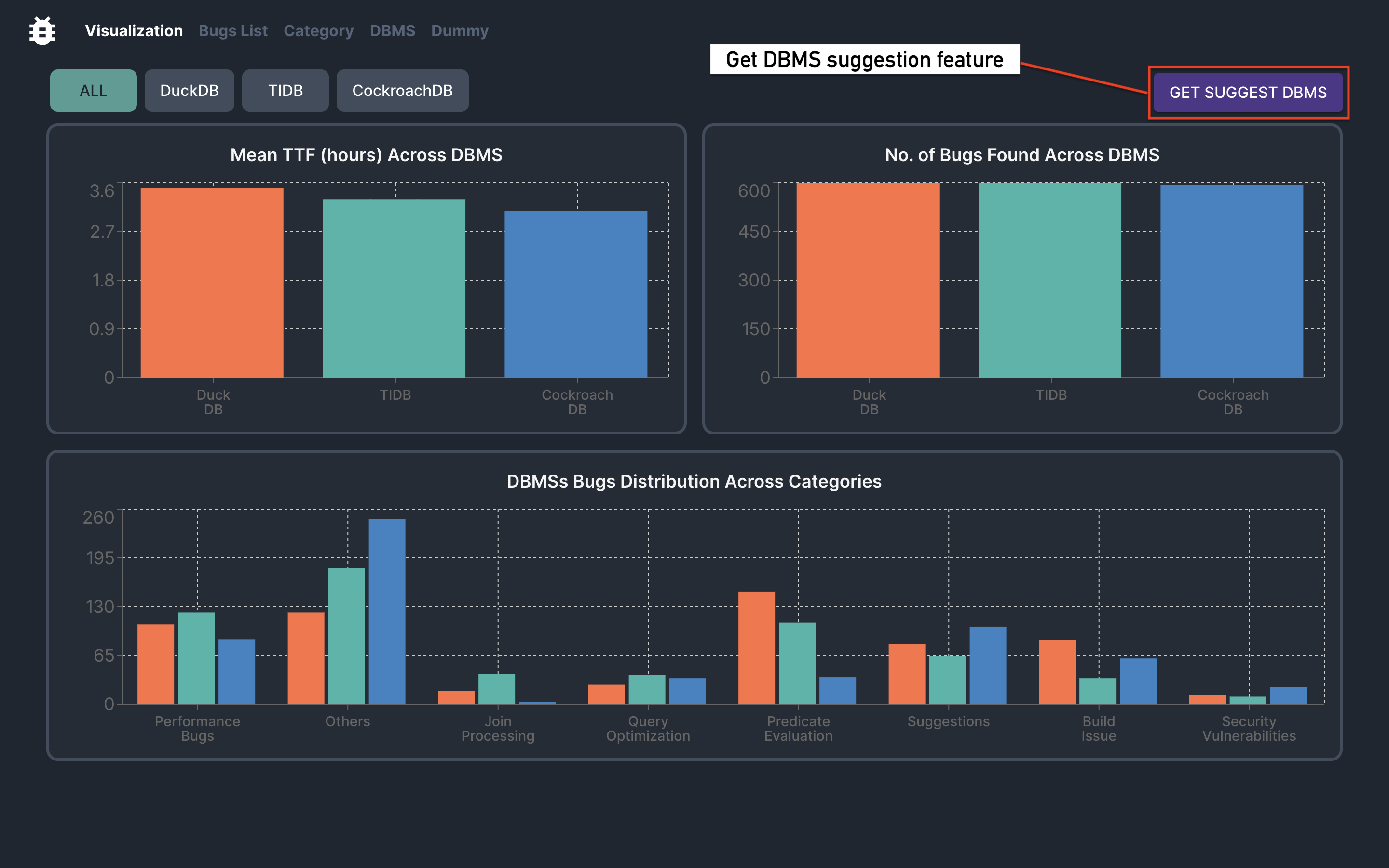
- Enter Project Requirements. Provide detailed information about your project needs.
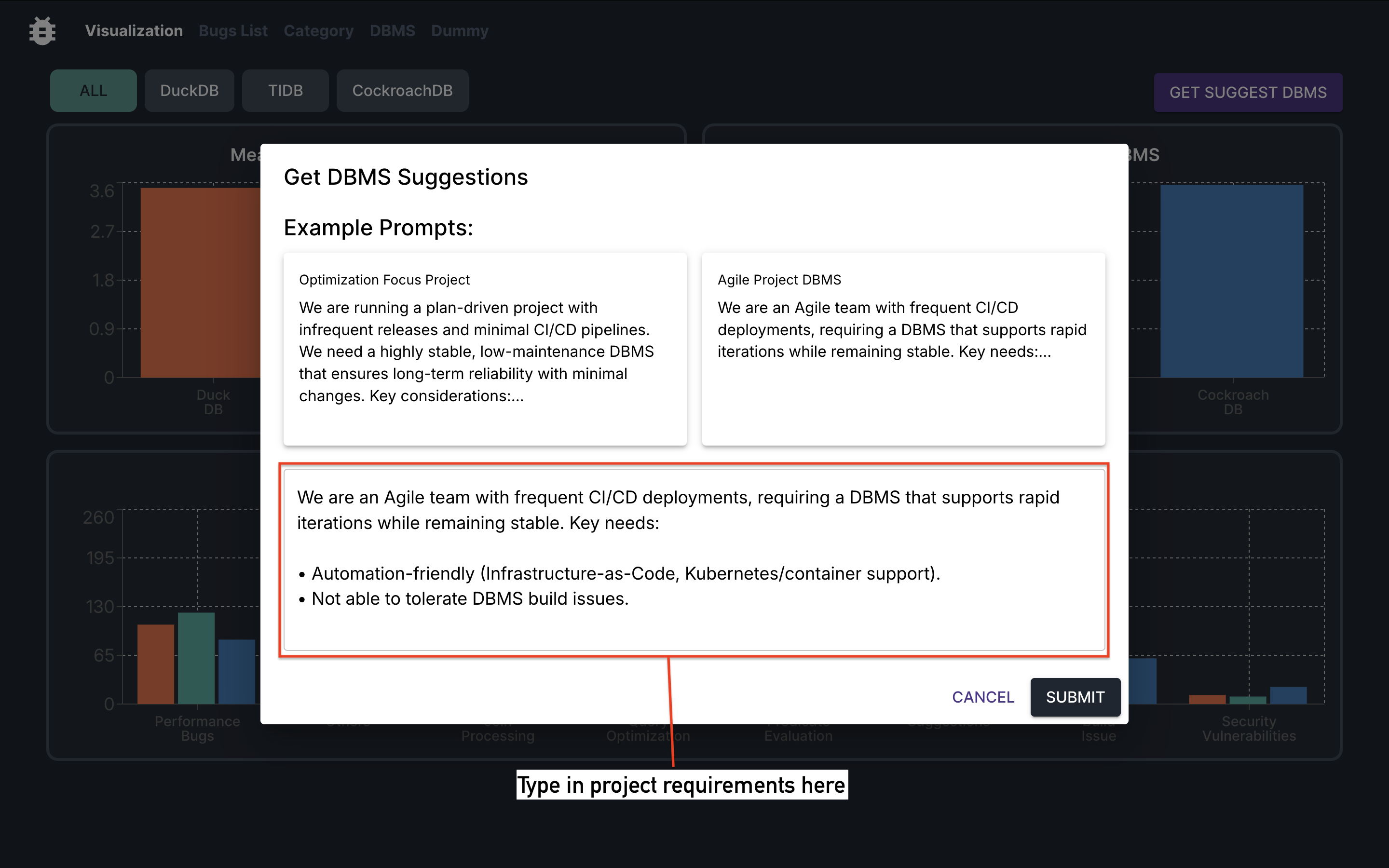
- Review the Suggested DBMS.
The system will suggest a DBMS along with a rationale for its selection. Review the suggestion to ensure it fits your project needs.
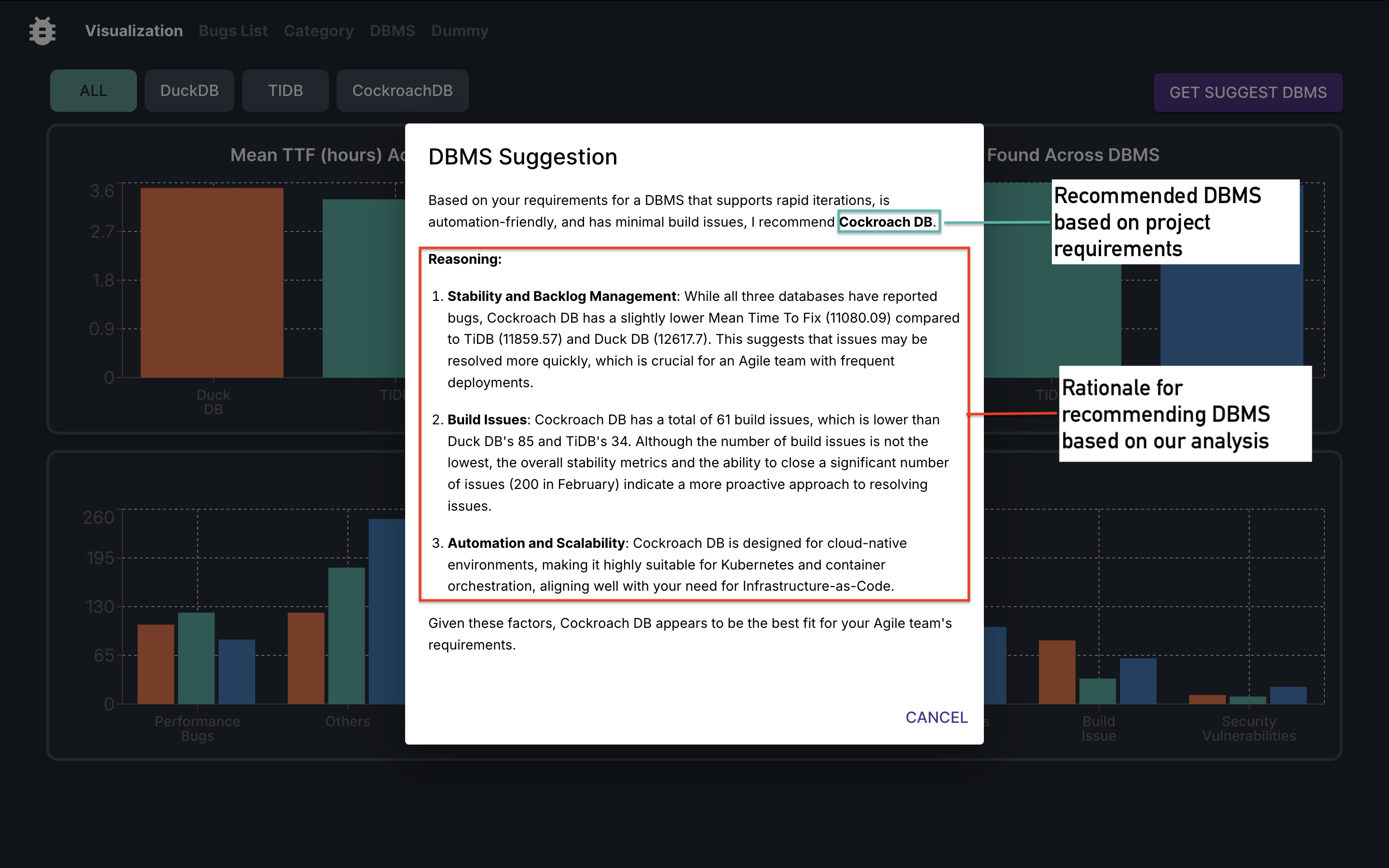
- Click on the Cancel button, or anywhere outside the pop-up dialog to close the dialog.
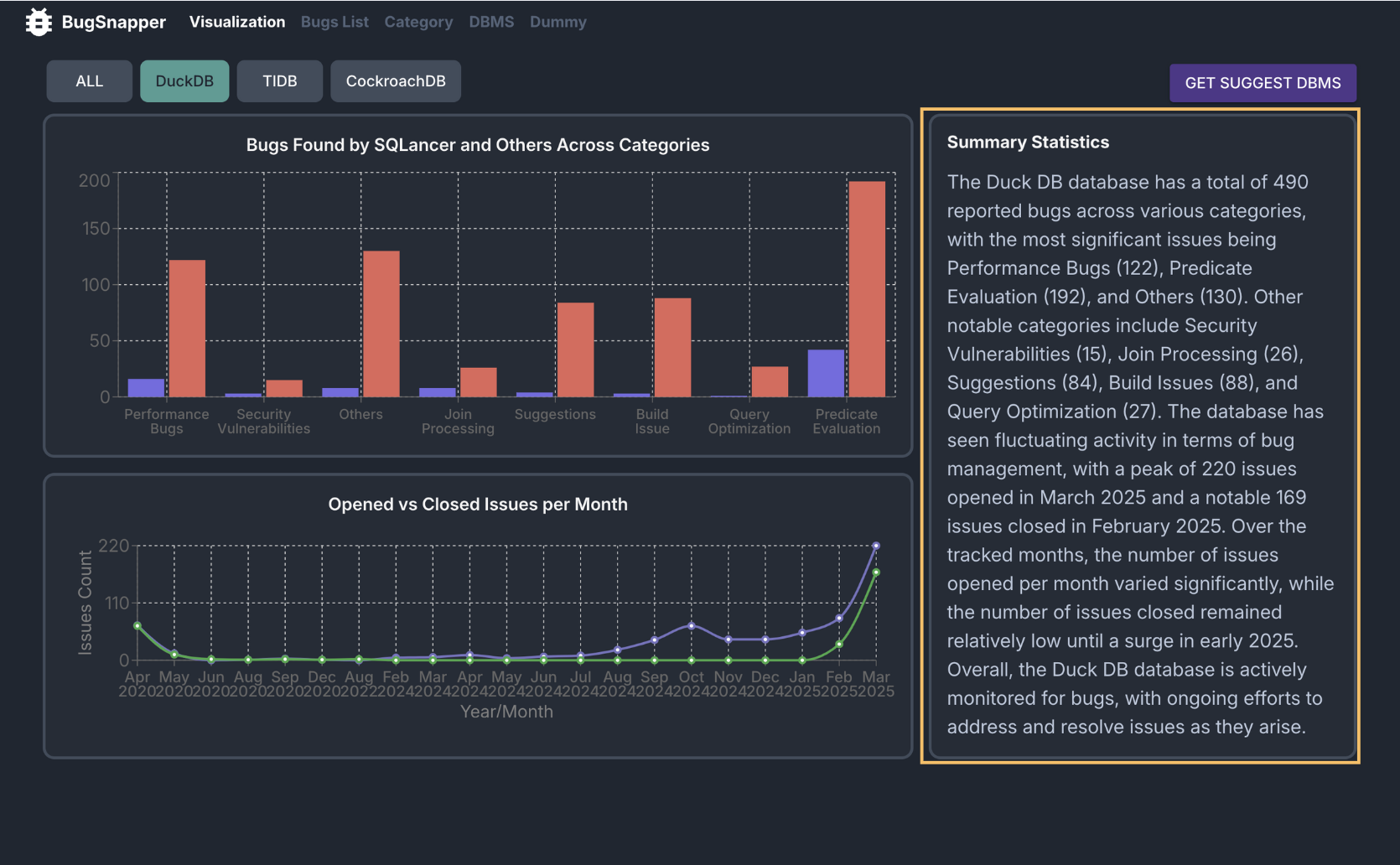
Feature: [DBMS-Specific] View Bugs Distribution across different Categories
This feature allows you to view the distribution of bugs across different categories, for a specific DBMS.
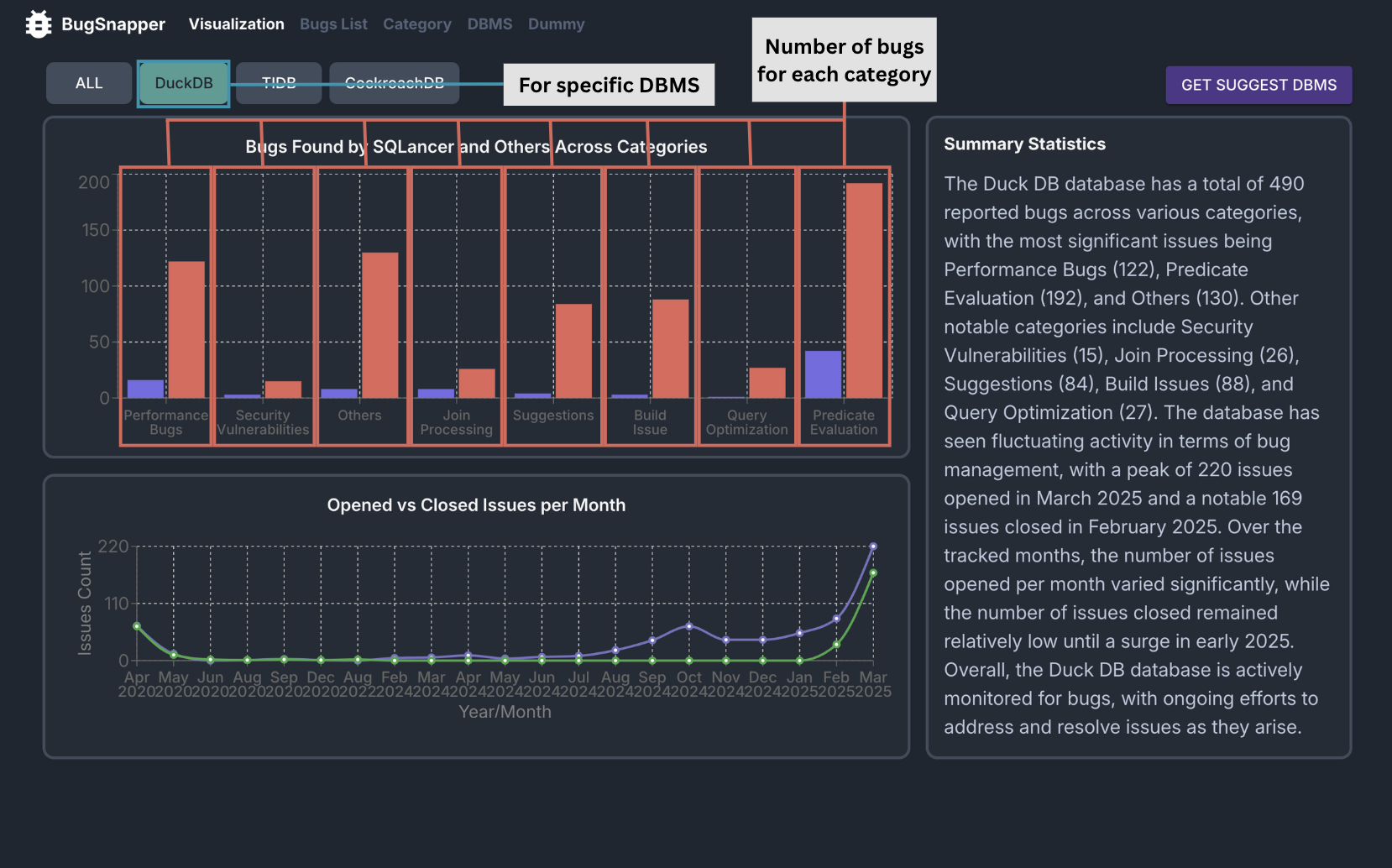 Bugs Distribution across Categories
Key Capabilities:
- It displays the distribution of bugs across different categories for a specific DBMS, making it easy to compare common vulnerabilities.
Steps to use
- Go to the Visualization Page.
- Use the tabs to navigate to the page of the DBMS you want to view.
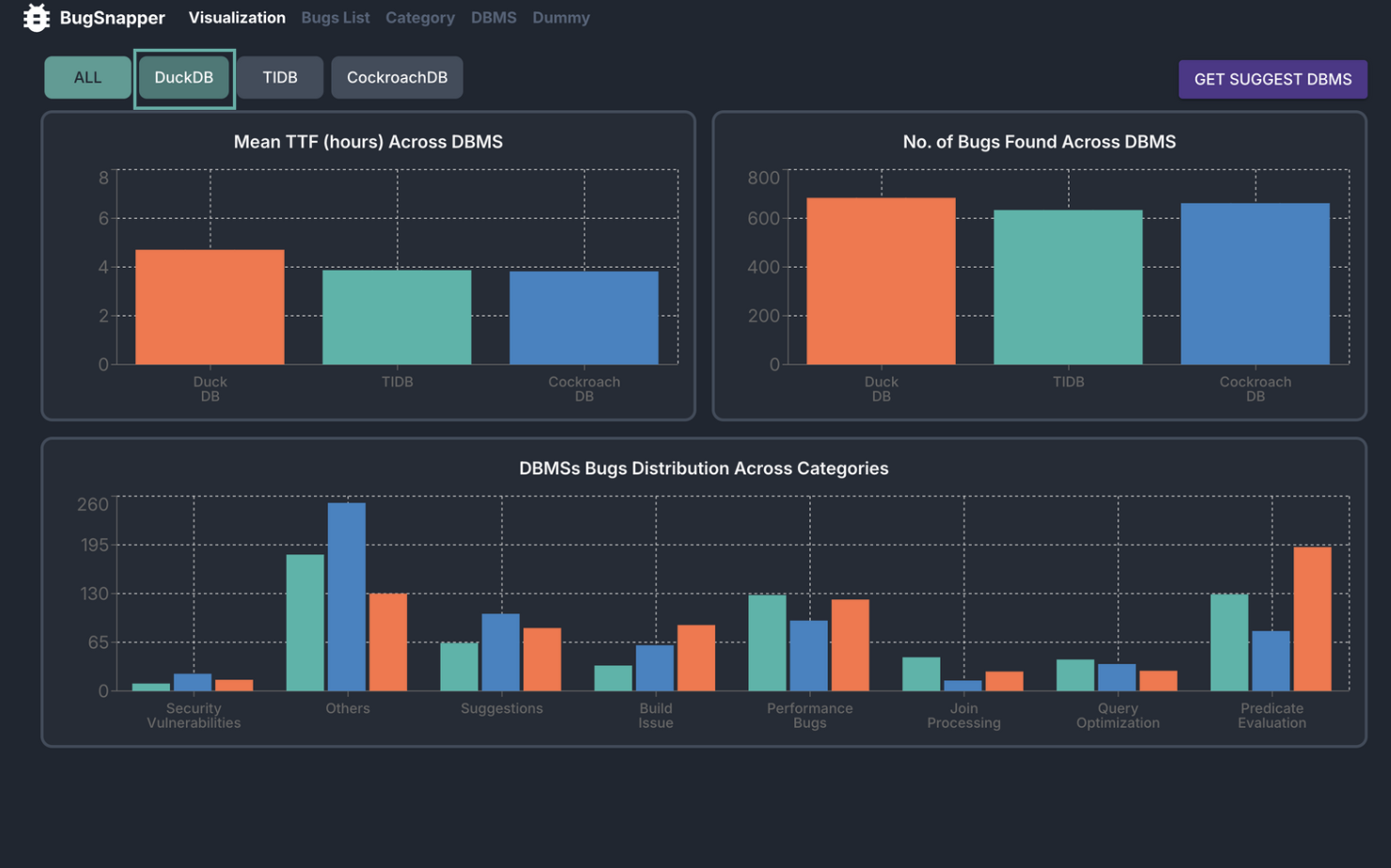
3. View the bar chart displaying the distribution of bugs across different categories.
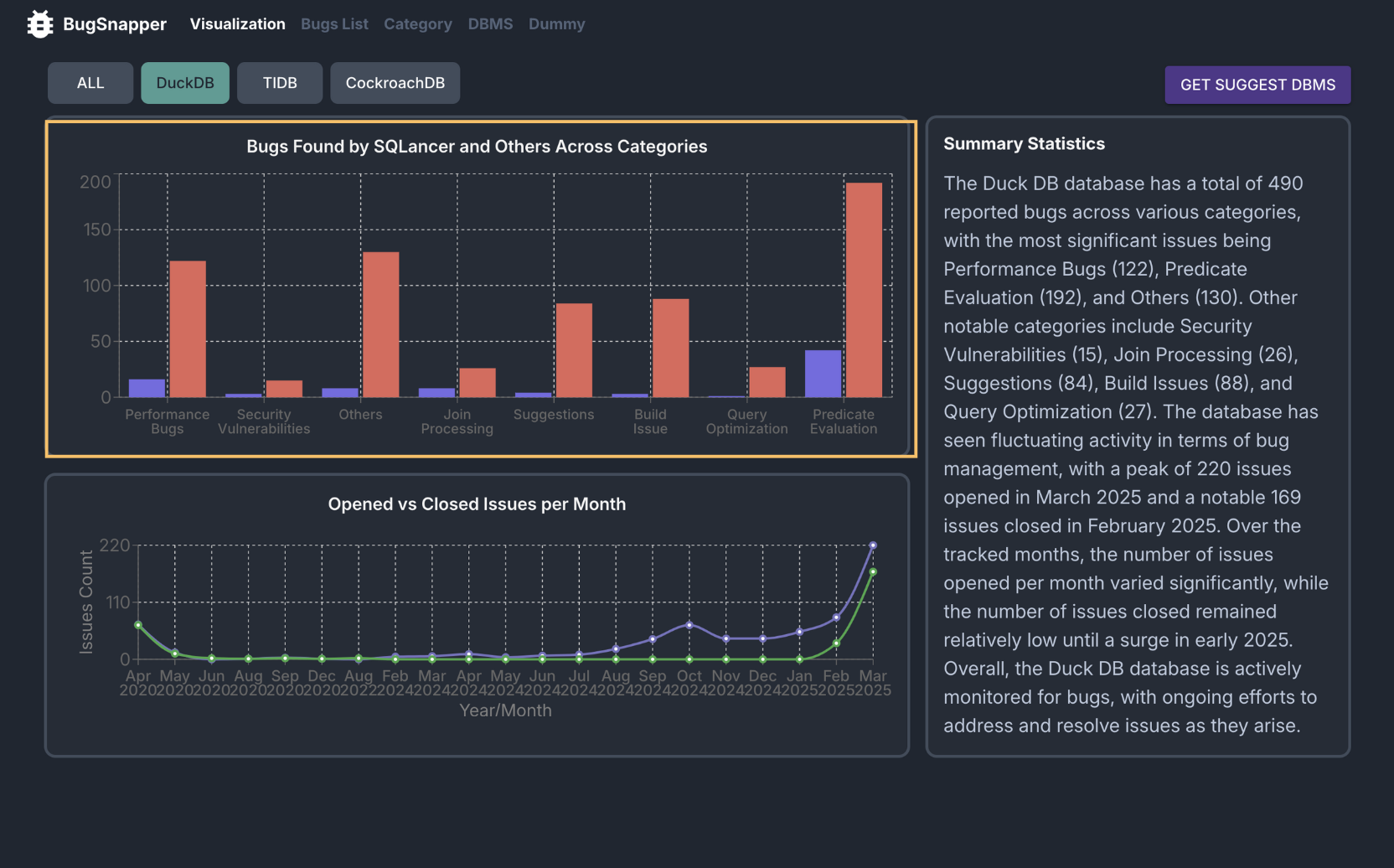
4. Hover over each bar to see the exact number of bugs for that category.
Feature: [DBMS-Specific] View SQLancer-specific Bugs Distribution across different Categories
This feature allows you to view the distribution of SQLancer-specific bugs across different categories, for each DBMS.
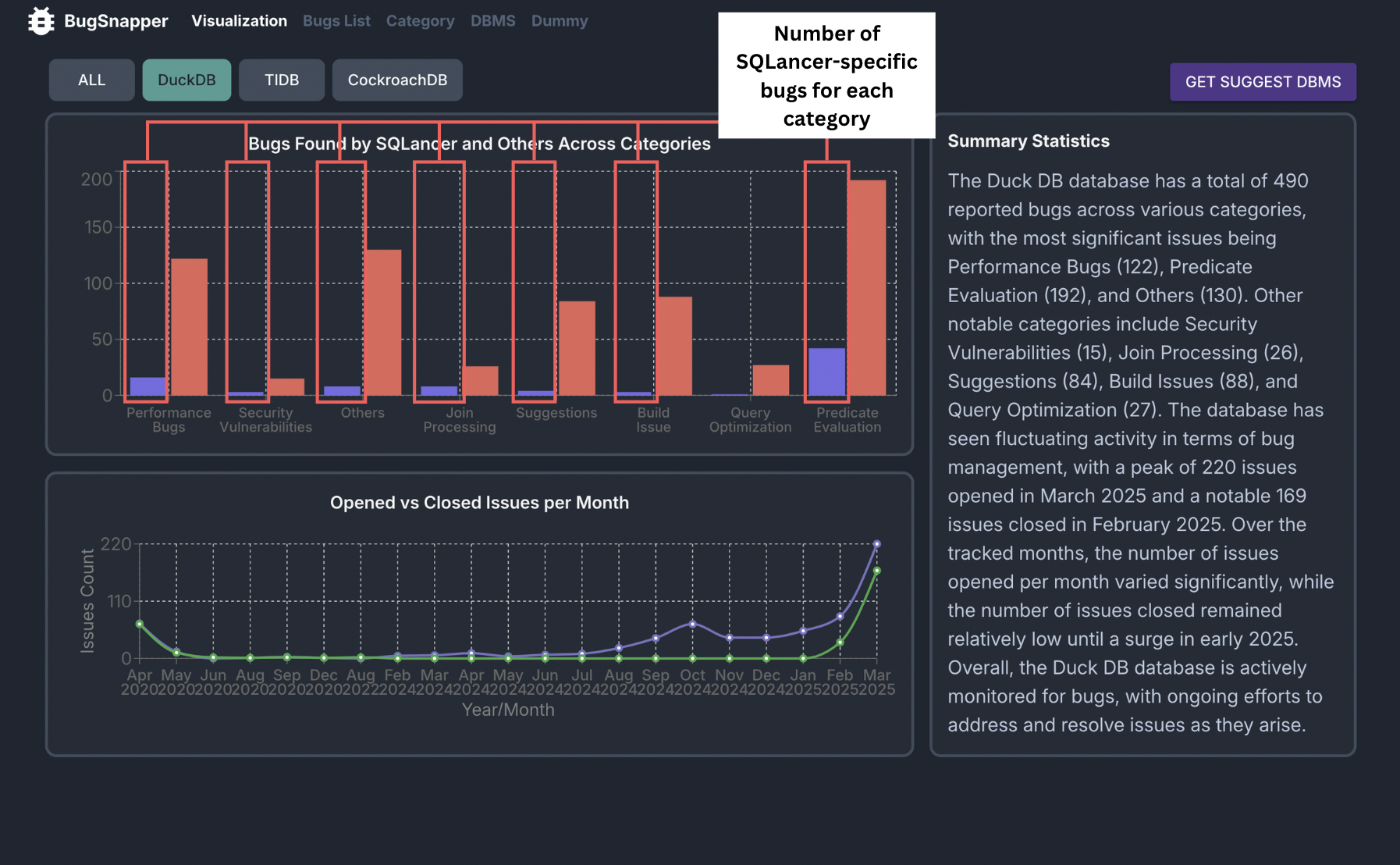 SQlancer-specific Bugs Distribution across Categories
Key Capabilities:
- It displays the distribution of SQLancer-specific bugs across different categories for each DBMS, making it easy to compare different vulnerabilities targetted by SQLancer.
Steps to use
- Go to the Visualization Page.
- Use the tabs to navigate to the page of the DBMS you want to view.
- View the bar chart displaying the distribution of SQLancer-specific bugs across different categories.
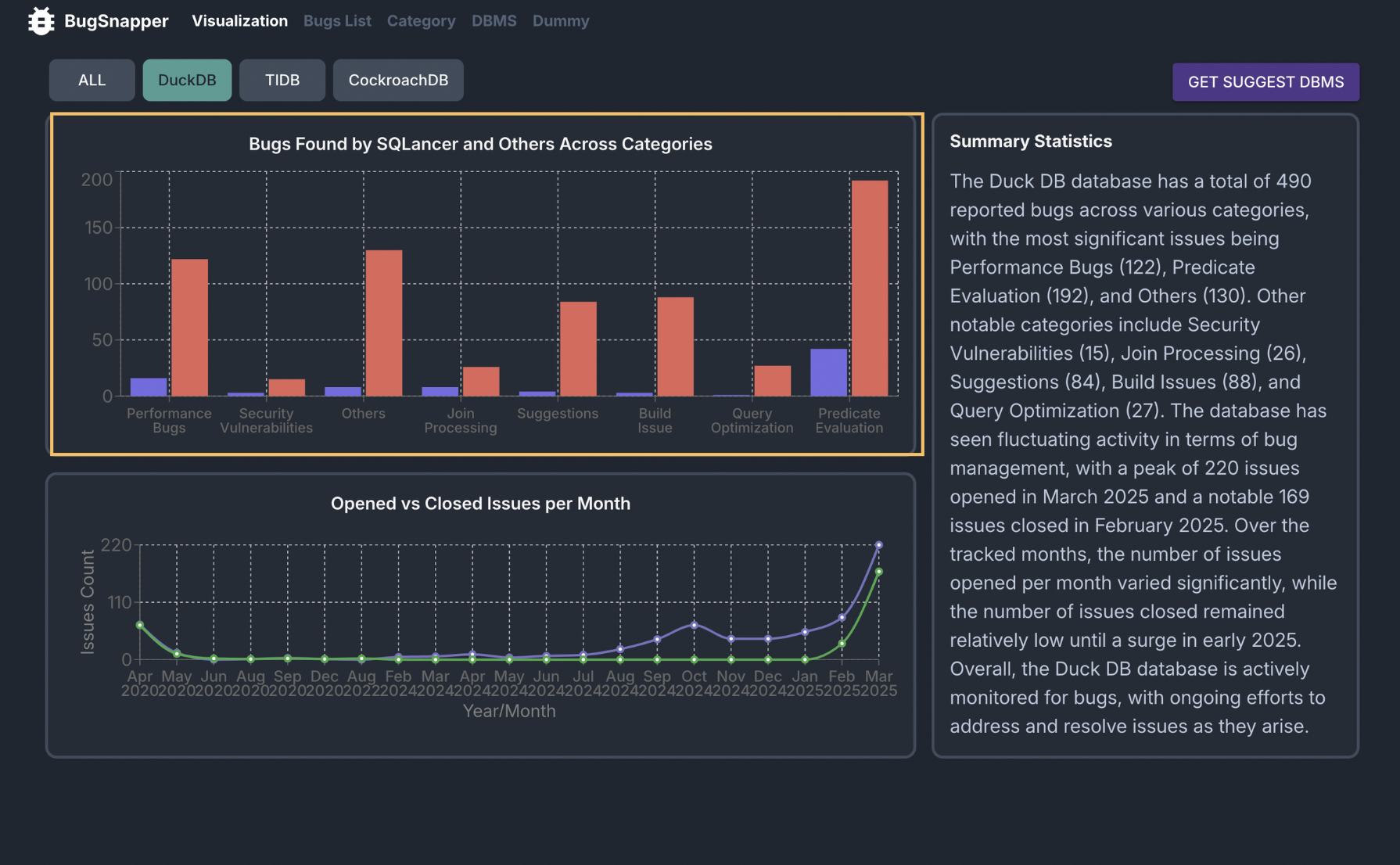
- Hover over each bar to see the exact number of SQLancer-specific bugs for that category.
Feature: [DBMS-Specific] Analyse Number of Opened vs Closed Issues per Month
This feature allows you to view the number of opened vs closed issues per month for a specific DBMS.
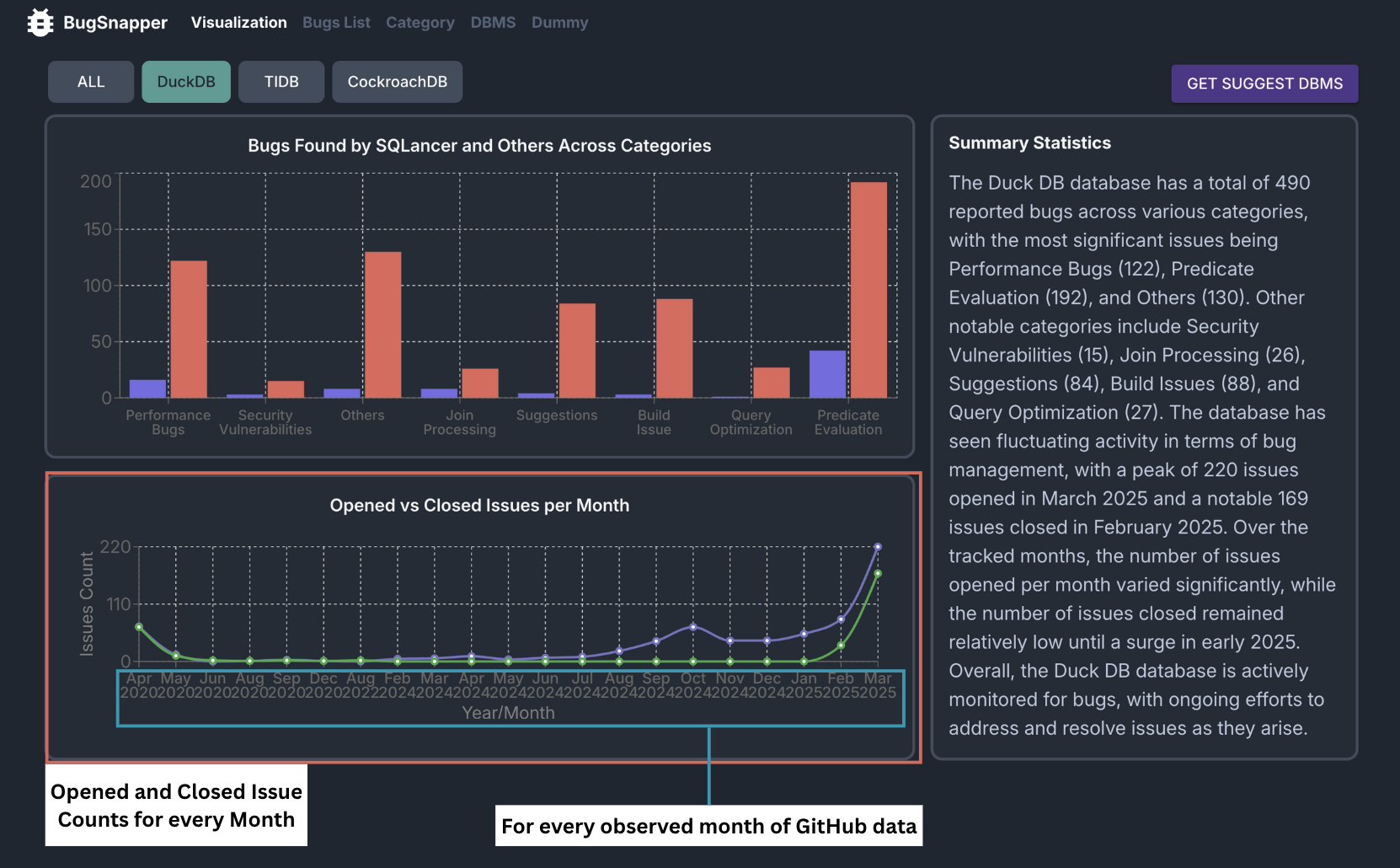 Opened and Closed Issues per Month
Key Capabilities:
- It displays the number of opened vs closed issues per month for a specific DBMS, making it easy to get an overview of the state of bug resolution.
- The number of opened and closed issues is calculated using the issue data from the GitHub API.
- The data is displayed in a line chart format, making it easy to compare the trend of opened vs closed issues over time.
Steps to use
- Go to the Visualization Page.
- Use the tabs to navigate to the page of the DBMS you want to view.
3. View the line chart displaying the number of opened vs closed issues per month for the DBMS.
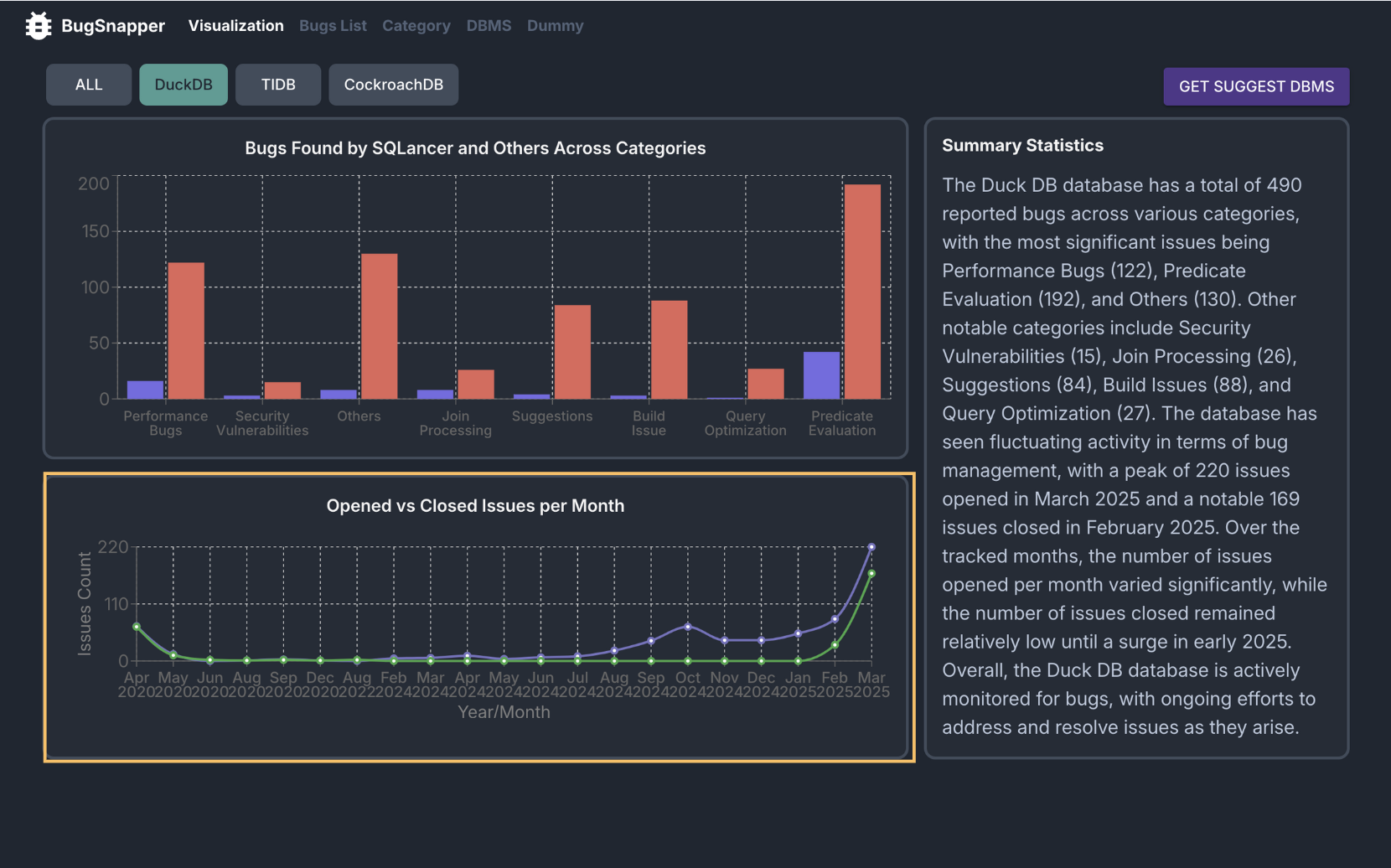
4. Hover over each point to see the exact number of opened and closed issues for that month.
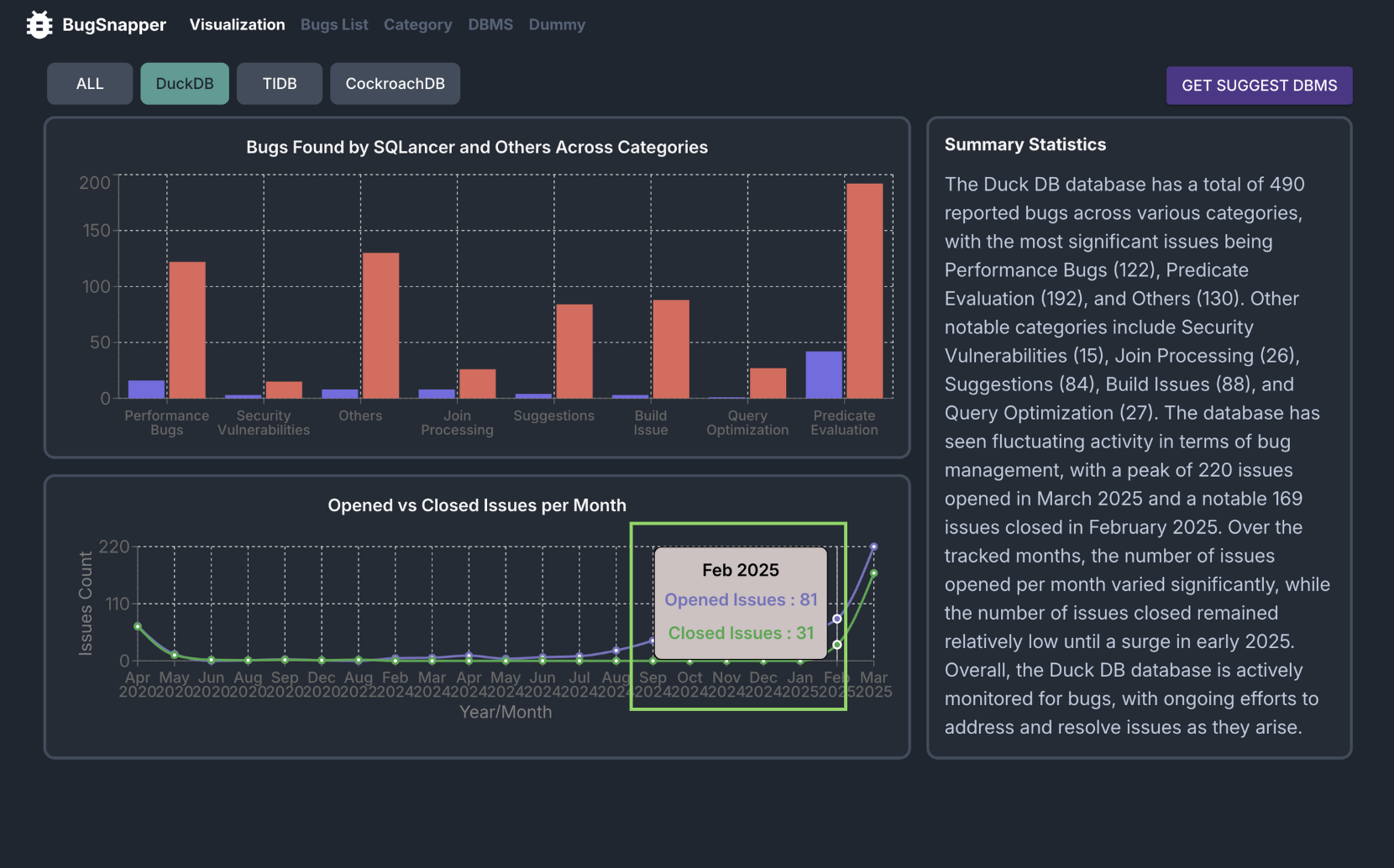
Feature: [DBMS-Specific] Get Summary of Bugs Found for DBMS
This feature allows you to view a summary of bugs found for a specific DBMS.
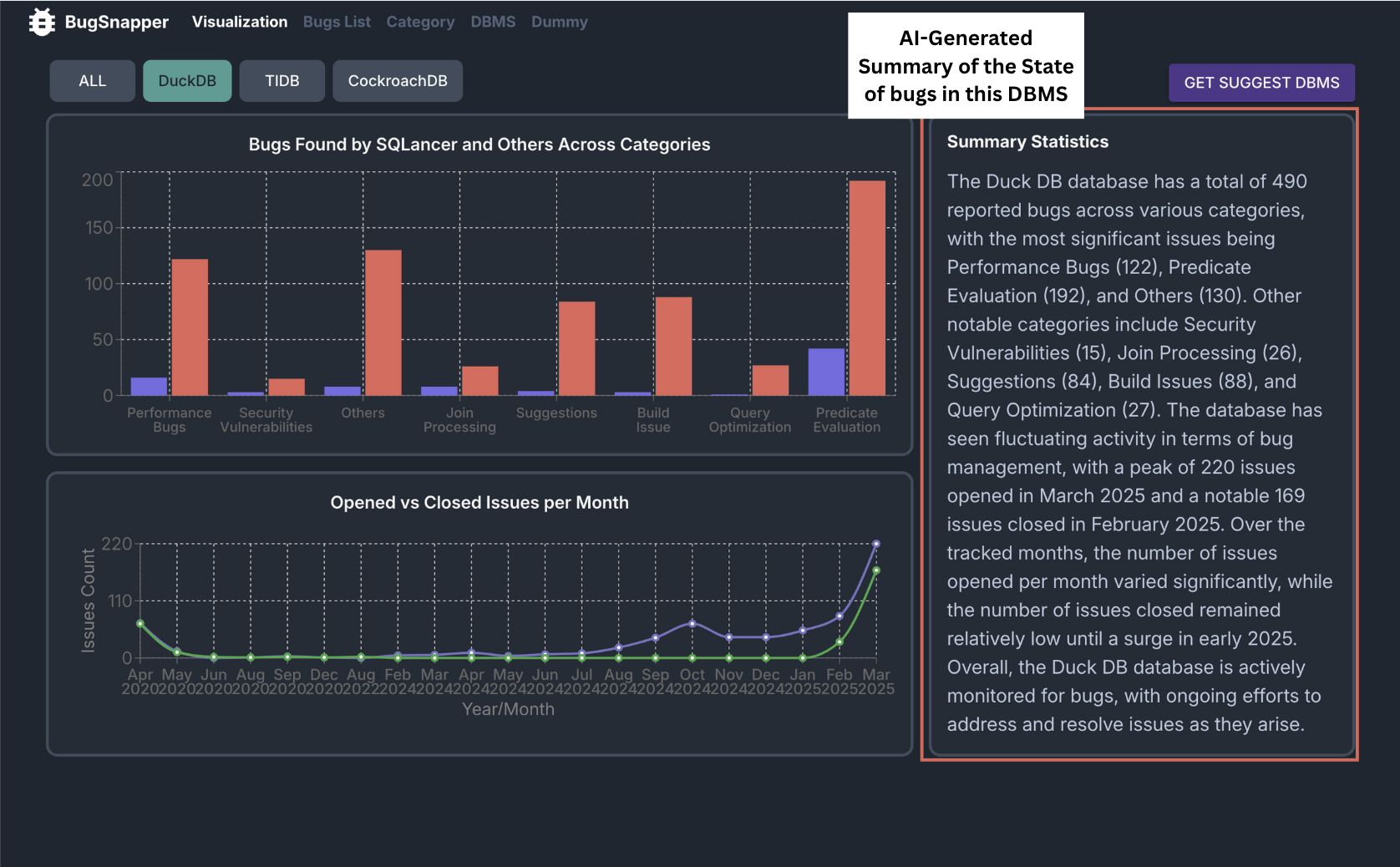 DBMS Summary Feature
Key Capabilities:
- It displays a summary of bugs found for a specific DBMS, making use of the data on number of bugs, categories, and resolution times.
- The summary is generated using AI tools, providing a concise overview of the state of bugs in the DBMS.
Steps to use
- Go to the Visualisation Page.
- Use the tabs to navigate to the page of the DBMS you want to view.
3. View the bugs summary for the DBMS under Summary Statistics.
View List of Bugs found across DBMSs
Feature: View Bug Overview
This feature allows you to view the list of bug issues fetched from Github.
- Bug issue status
- Open: Indicated by a mint-colored circle
- Closed: Indicated by a purple checkmark
- Bug Issue Title
- Displayed prominently in bold
- Bug issue Source
- Shows the GitHub organization and repository name
- Github icon
- Clickable icon linking directly to the issue on GitHub
- Issue Time Information
- Open Issues: Shows the duration since the issue was created
- Closed Issues: Shows the time taken to resolve the issue
- Bug issue category label
- Automatically classified into one of the following categories:(Predicate Evaluation, Join Processing, Query Optimisation, Others, Security Vulnerabilities, Performance Bugs, Suggestions or Build Issues)
- Bug Issue Sqlancer label
- Only issues labelled with "SQLancer" are found by sqlancer
- Pagination
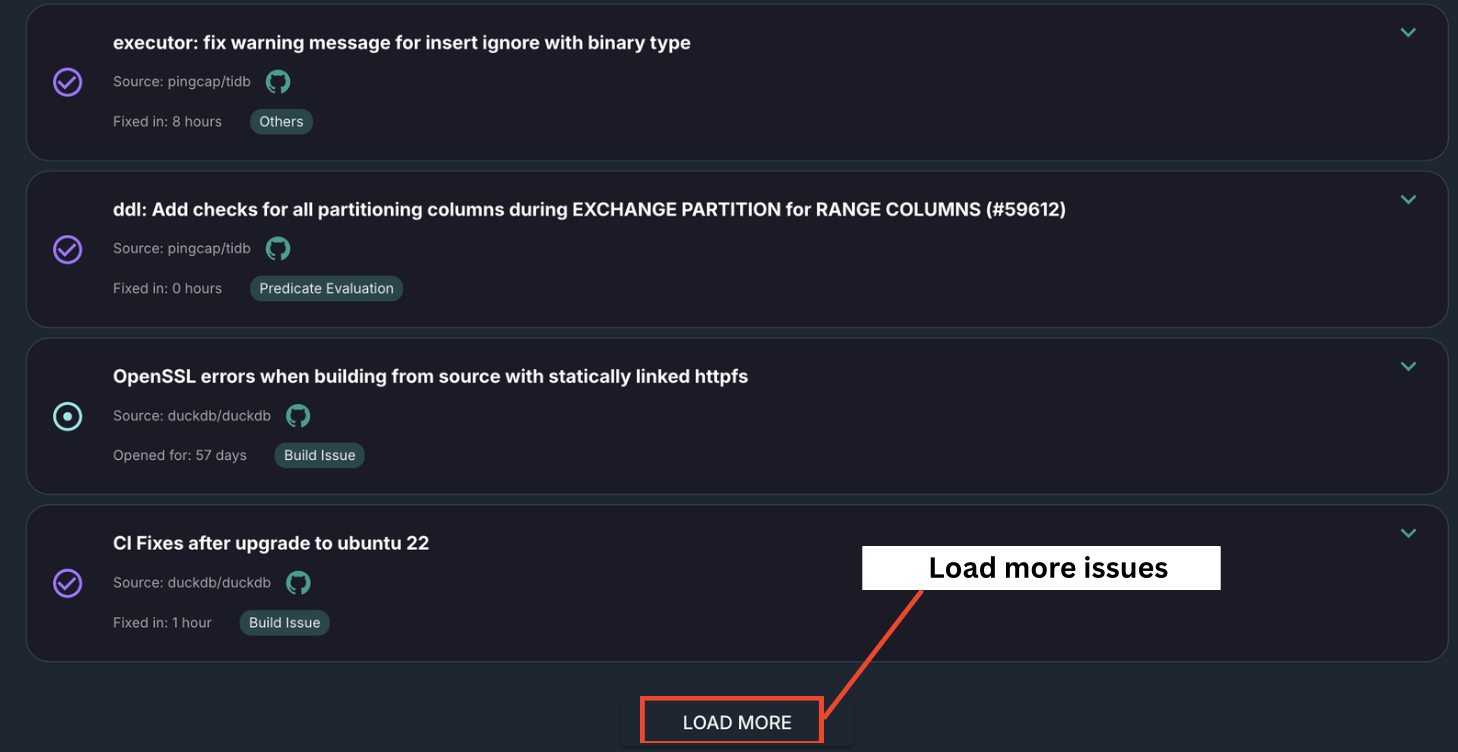
- Each page displays 50 issues. Use the "LOAD MORE" button to reveal additional issues.
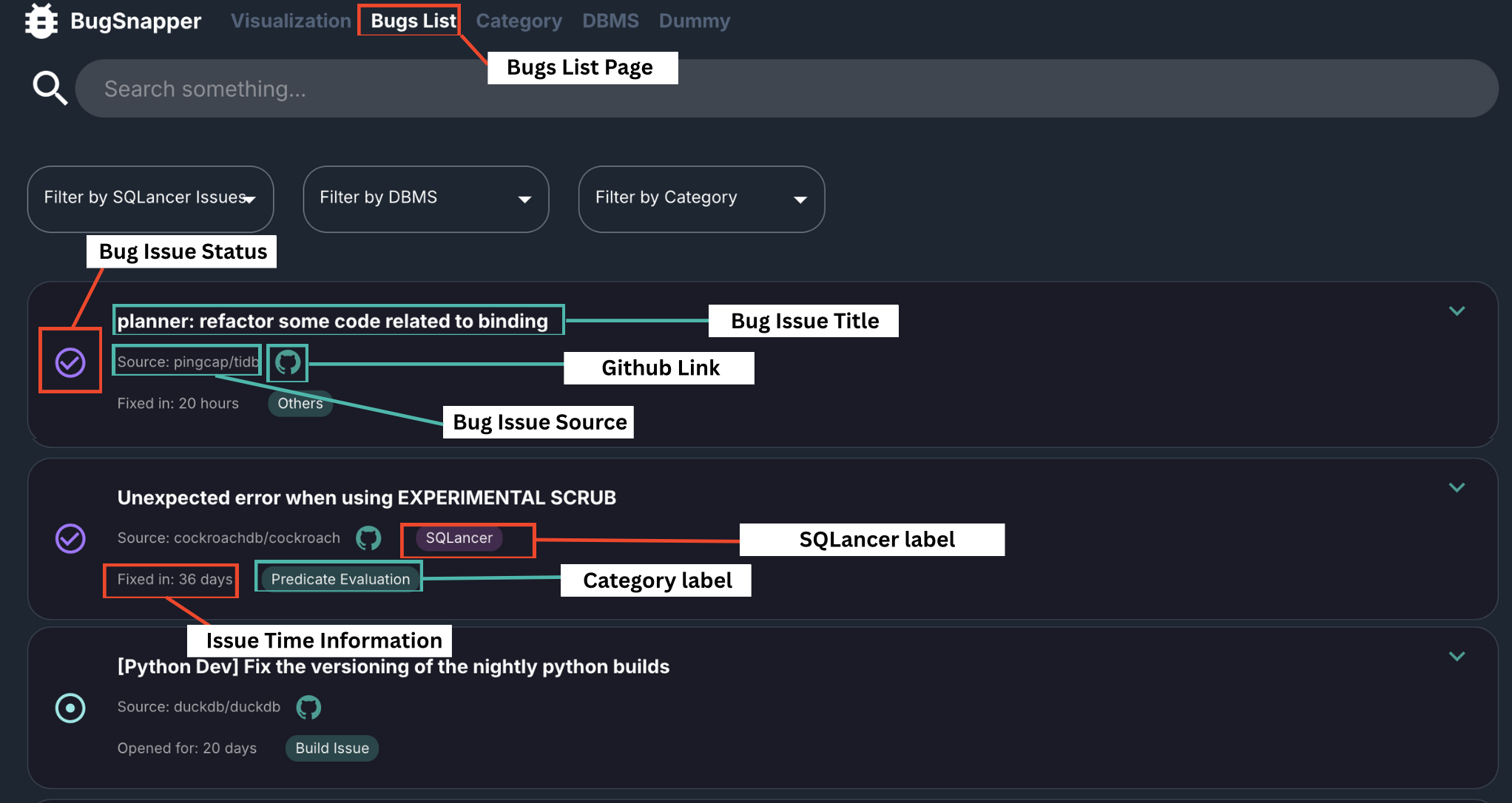 Bugs List Page Overview
Key Capabilities:
- Displays a consolidated list of bug issues from multiple GitHub repositories, allowing for streamlined monitoring and analysis.
- Each issue card provides detailed metadata, including source repository, status, category, and timestamps—making it easy to scan and prioritize at a glance.
- BugSnapper makes use of AI to categorise each bug into specific categories.
- The use of Scheduler will allow automatic fetching of bug issues every set time interval.
Steps to use
- Go to the Bugs List Page.
- Browse through the list to get a summary of each bug’s key details.
- To explore more issues, click on the "LOAD MORE" button at the bottom of the page.
Feature: View Detailed Bug Report
This feature allows you to view the comprehensive information for each individual bug issue.
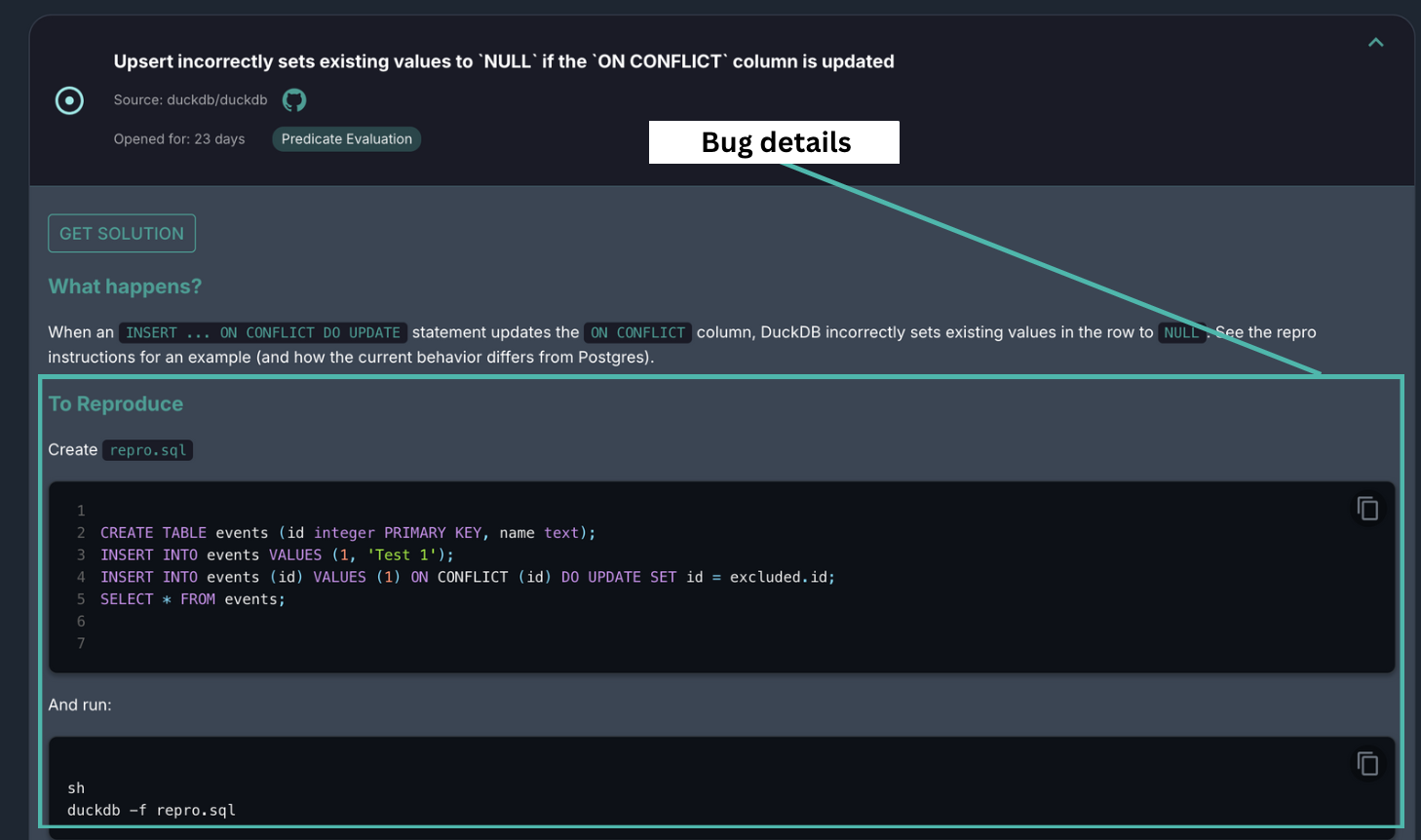 Detailed Bug Report
Key Capabilities:
- Provide access to detailed bug descriptions, including summaries, reproduction steps, affected DBMS versions, and context.
- Include reproduction steps and environment detail to allow quick replicate bugs for debugging and testing.
- Understand which versions of the DBMS are impacted, aiding in regression tracking and version-specific debugging efforts.
Steps to use
- Go to the Bugs List Page.
- Click on any bug card to expand it and view detailed bug information.
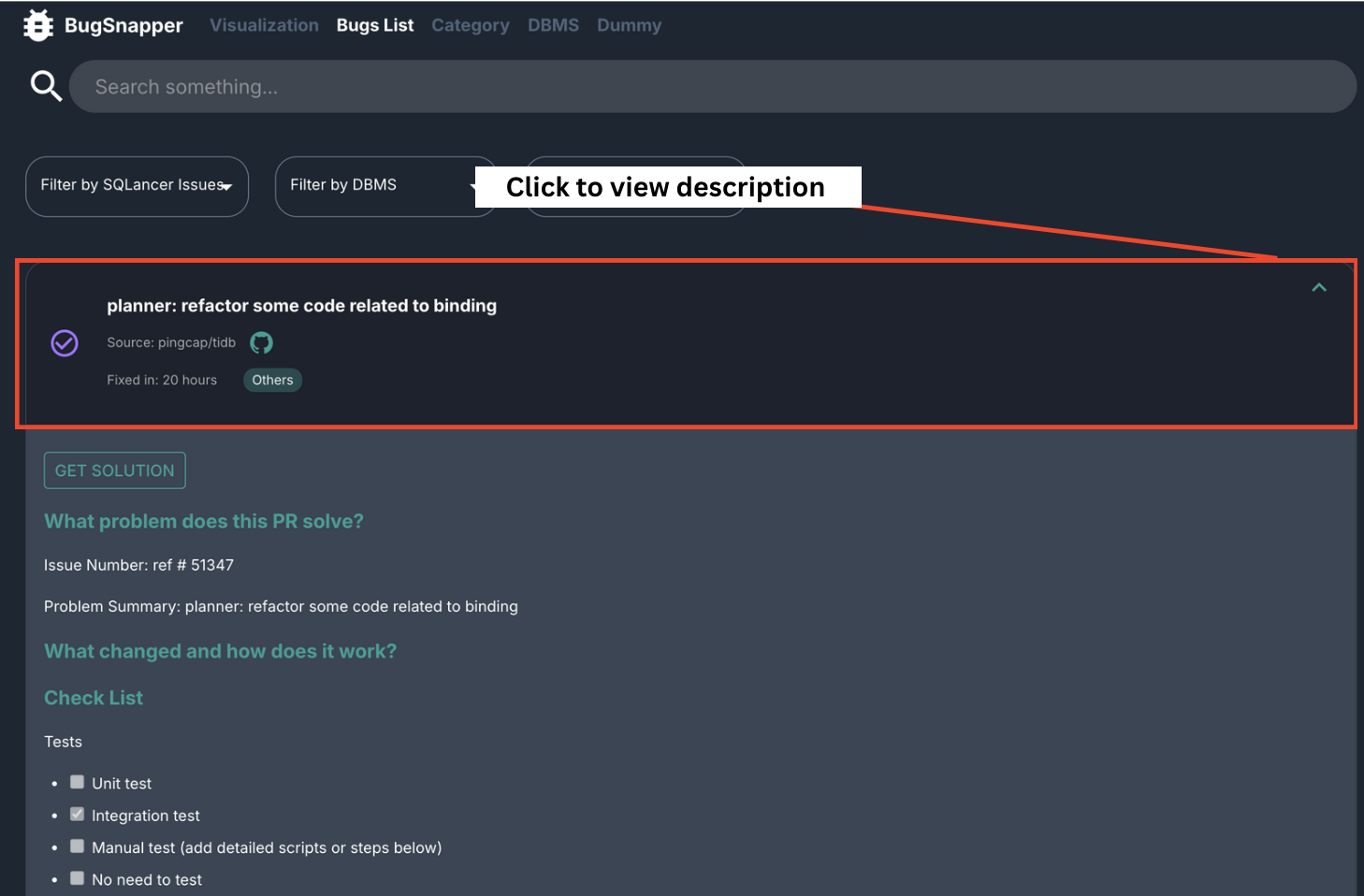
Feature: Get Bug Solution
This feature allows you to get a solution for the bug you are currently viewing.
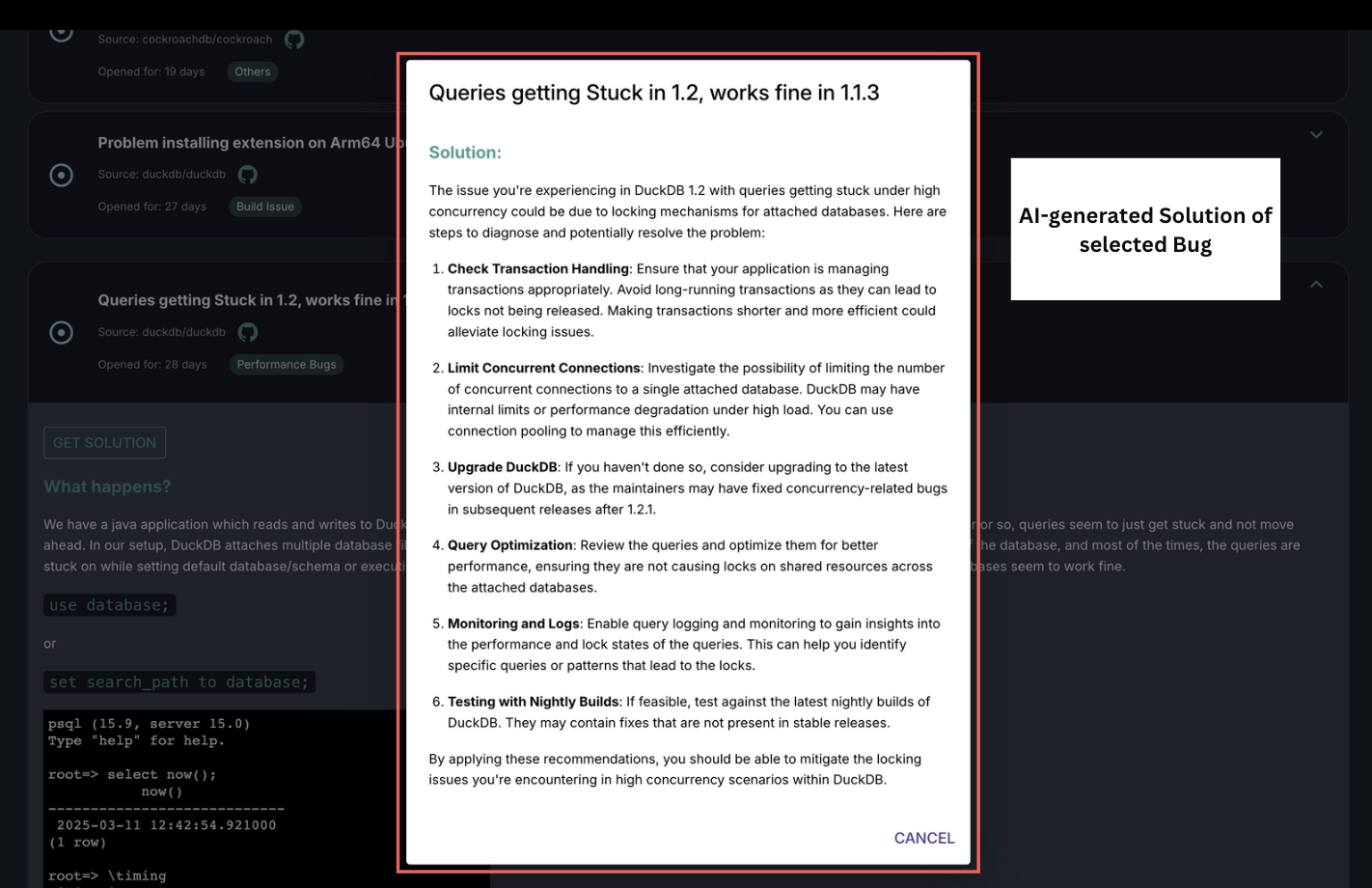 Get Bug Solution feature
Key Capabilities:
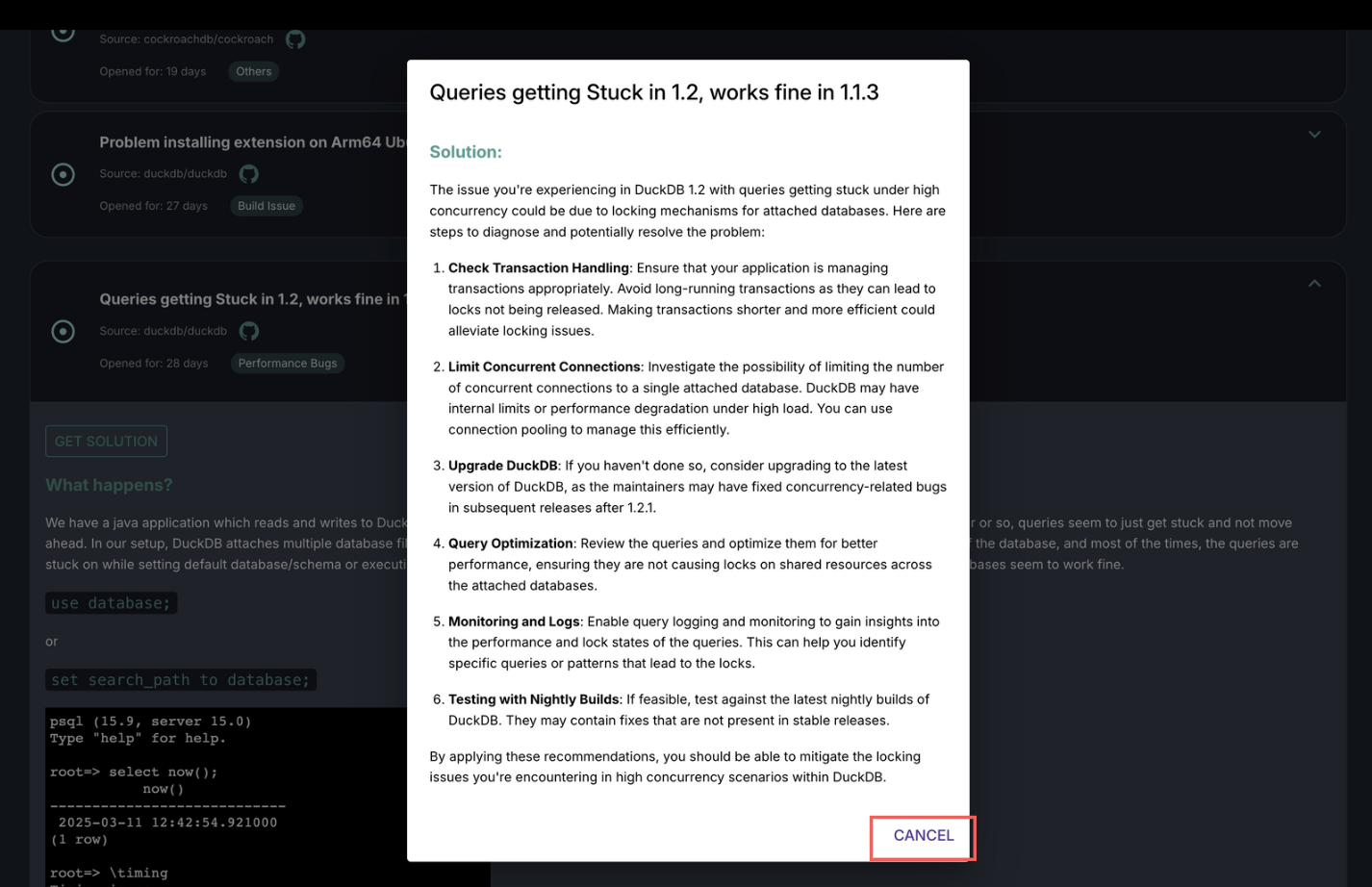
- It uses OpenAI's GPT-4o-mini model to generate an intuitive, yet concise solution for the bug.
- The solution is generated based on the description of the bug, as provided in the bug report.
- The solution is displayed in a user-friendly markdown format, making it easy to read and understand.
Steps to use
- Go to the Bugs List Page.
- Navigate to the bug you want to view.
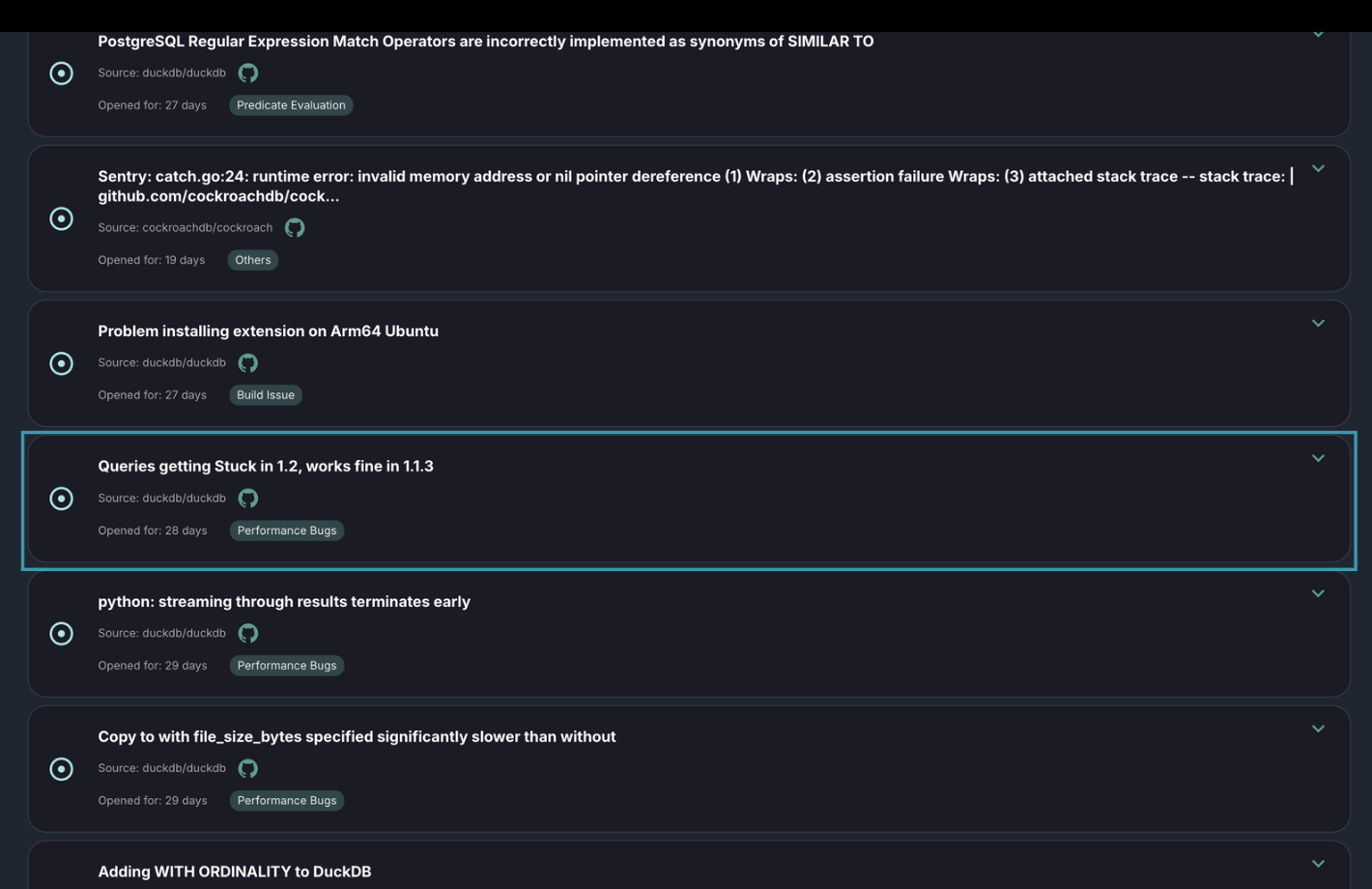
3. Click on the dropdown on the right side of the bug, to expand details of the bug and view the bug report.
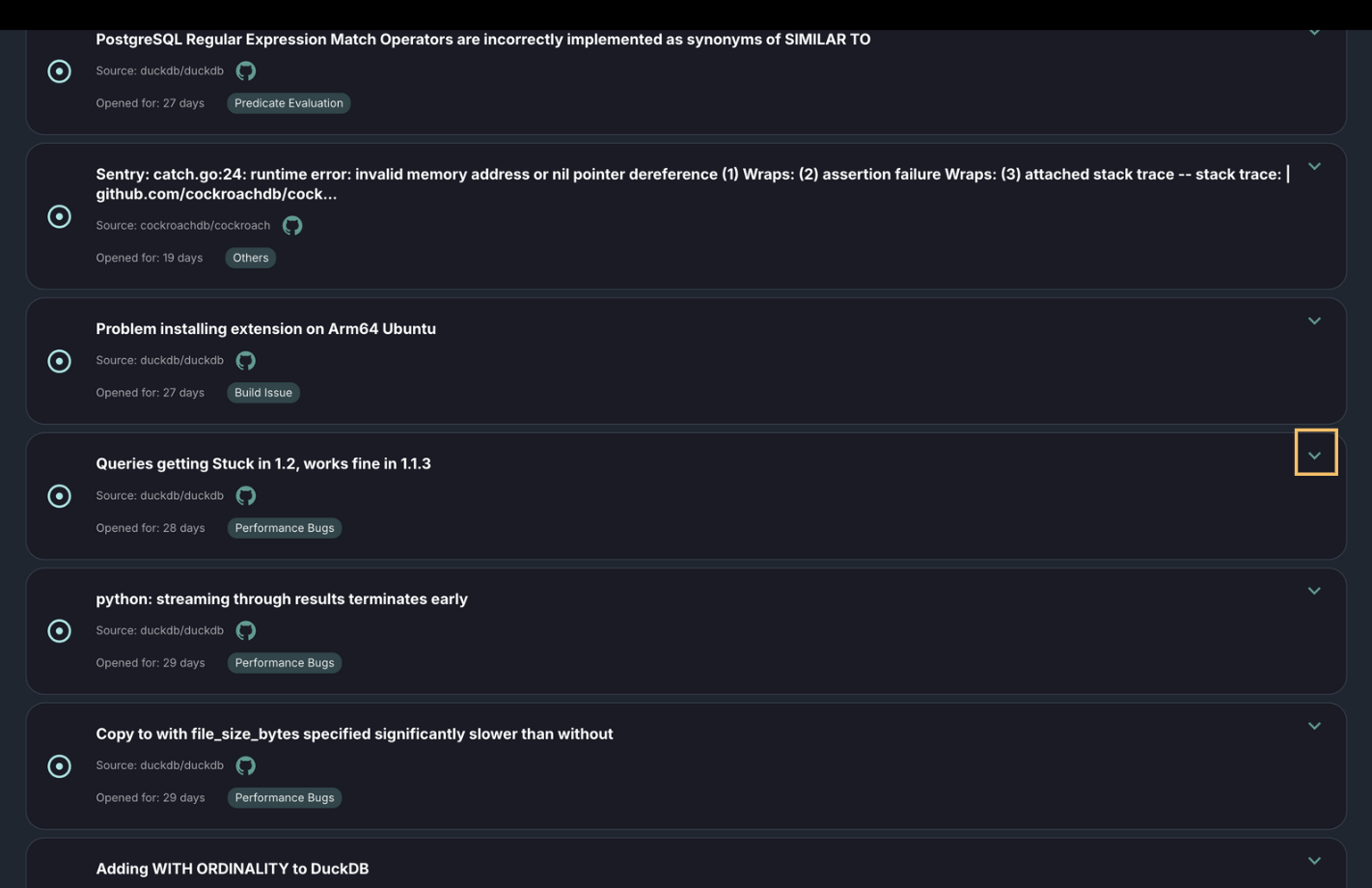
4. Click on the Get Solution button at the top of the bug report.
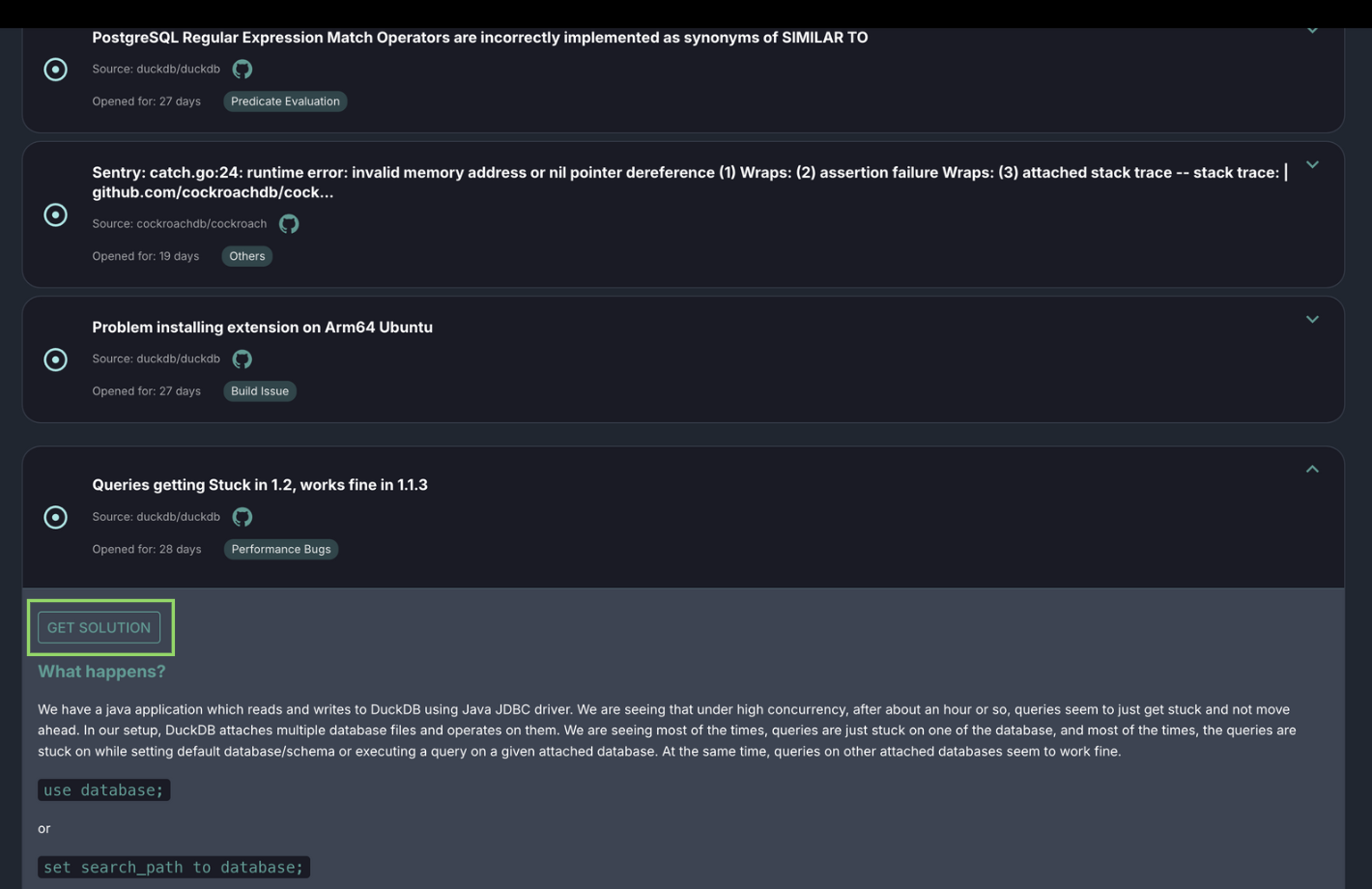
5. The solution will be displayed in a pop-up dialog in markdown format.
6. Click on the Cancel button, or anywhere outside the pop-up dialog to close the dialog.
Feature: View Bug Report on Github
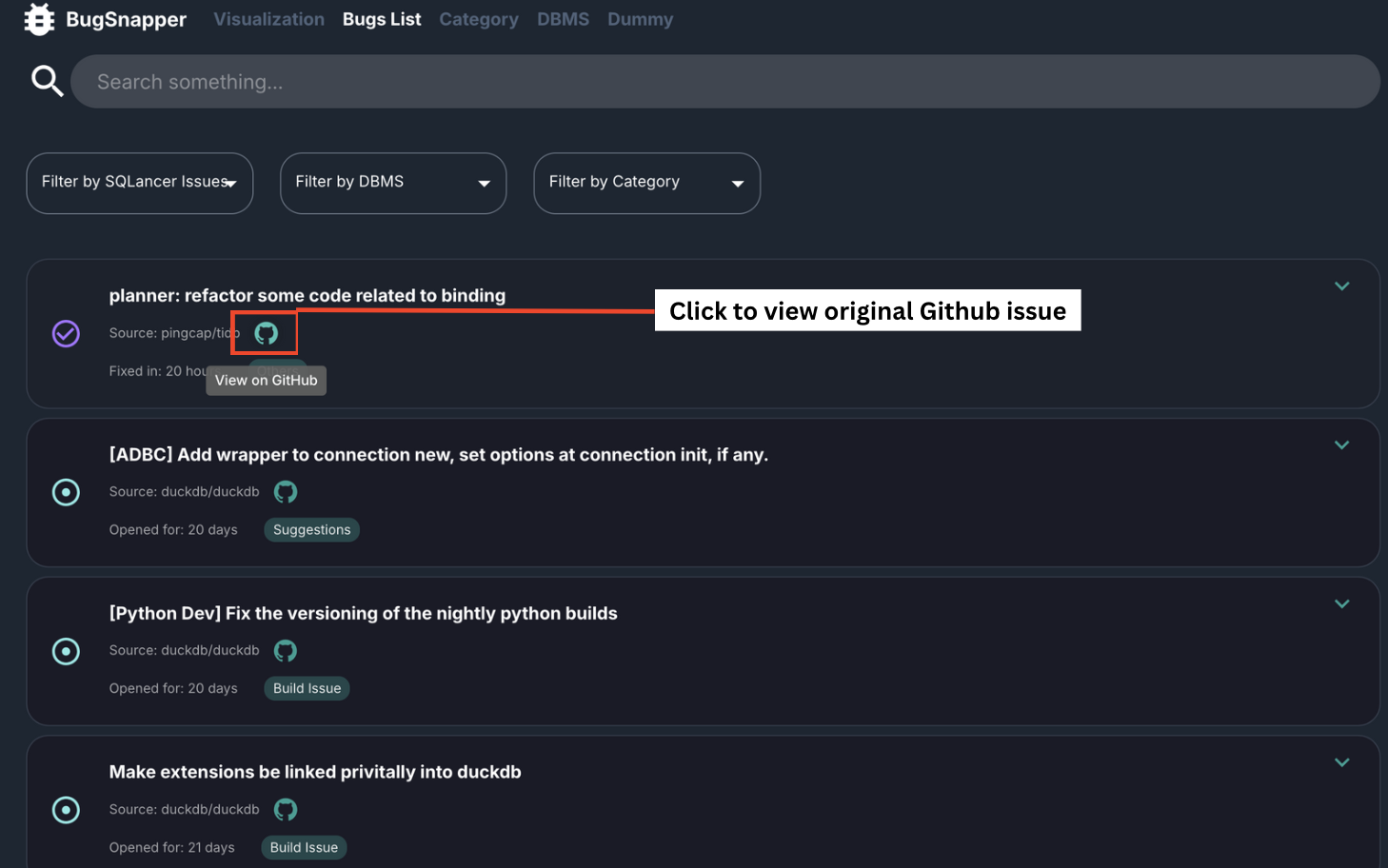
This feature allows you to access the original bug report on GitHub.
Key Capabilities:
- The embedded GitHub icon for each bug issue allows access the source of the bug.
- This allows developers to view the complete conversation thread, including comments from contributors, maintainers, and the original reporter, for better understanding of the issue's history and progress.
Steps to use
- Go to the Bugs List Page.
- Locate the bug you're interested in.
- Click on the GitHub icon within the bug card to be redirected to the original GitHub issue.
Feature: Bugs filtering
This feature allows you to filter bug reports based on:
- Whether they were discovered by SQLancer
- Category
- DBMS (read the following feature sections for more details)
Tips for Using Search and Filters Effectively
Use the top search bar to locate specific bug issues by entering relevant keywords.
Search filters are persistent—when loading more issues, your search is retained automatically.
All filters remain active across paginated results. When you click "LOAD MORE", newly loaded issues will also respect the current filters.
If no results appear for your selected filter(s), try clicking "LOAD MORE" to fetch additional relevant issues.
Selecting "All" will reset all filters and display the complete list of bug reports.
Combine multiple filters for more refined results—e.g., filter by Category, DBMS, and whether it was found by SQLancer.
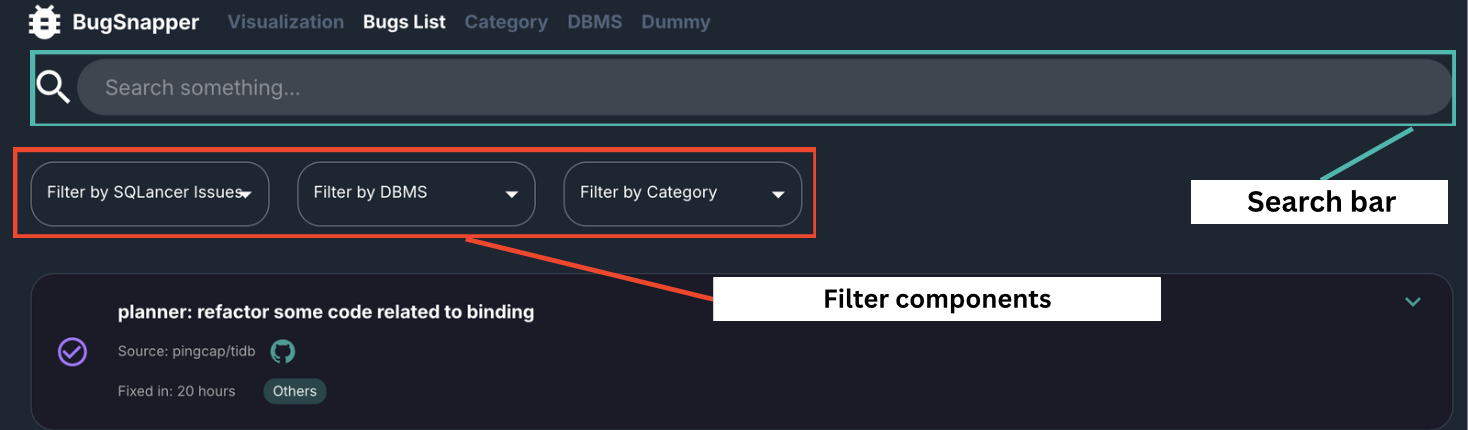 Bugs Issue Filter Components
Feature: Filter SQLancer found bugs
This feature allows you to filter the displayed bug reports based on whether they were discovered by SQLancer.
Key Capabilities:
- Allows isolation and analysis of bugs found specifically by SQLancer, helping in measuring SQLancer's test coverage and effectiveness.
- Gain visibility into the cateegory of bugs and DBMSs found by SQLancer which supports ongoing evaluation and refinement of SQLancer.
- Enables toggling between viewing SQLancer-found, non-SQLancer, or all bugs, enabling comparative analysis and focused debugging.
Steps to use
Go to the Bugs List Page.
Locate the filter dropdown at the top of the page.
Choose from the following options:
SQLancer Issues – View only bugs discovered by SQLancer
Non-SQLancer Issues – View bugs found through other means
All – Display all bug reports without filtering
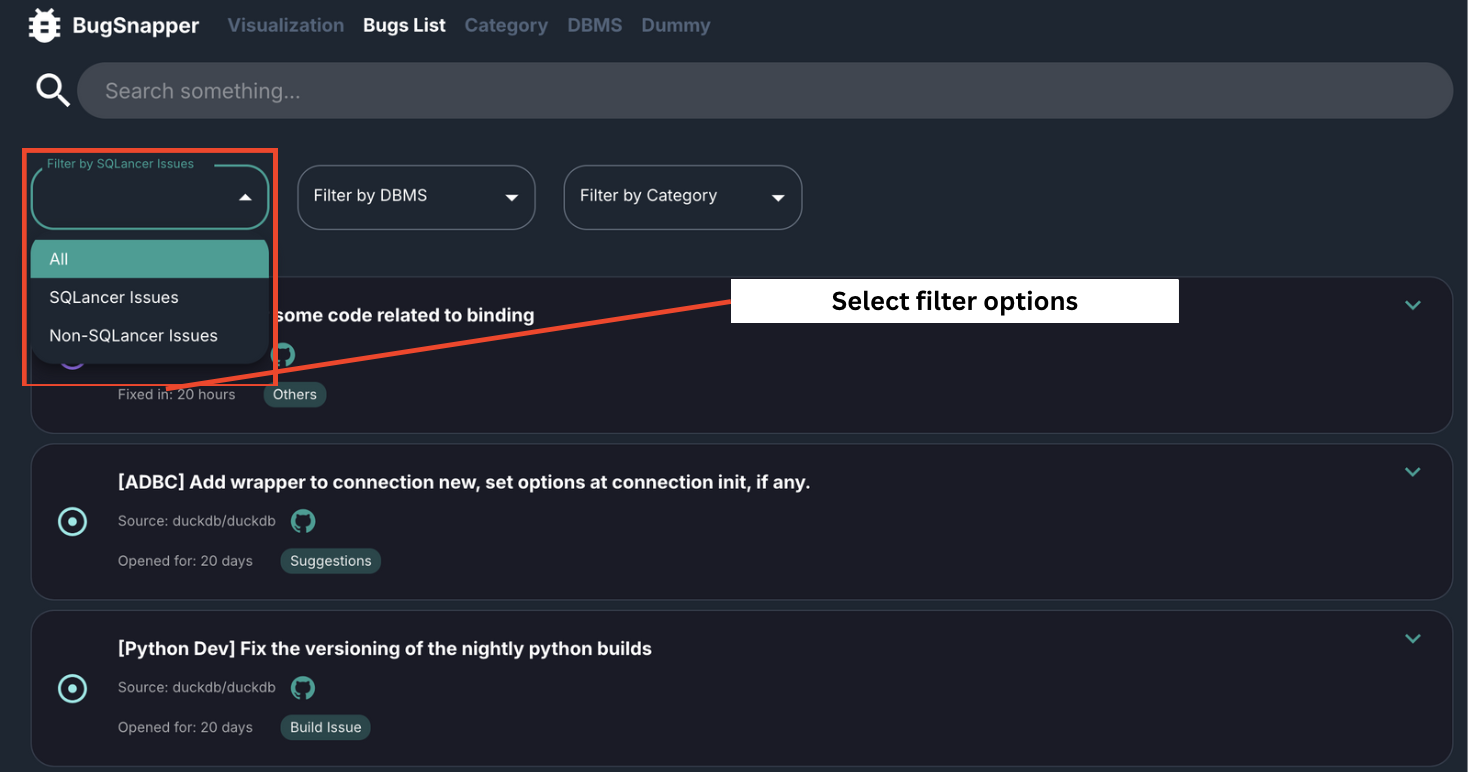
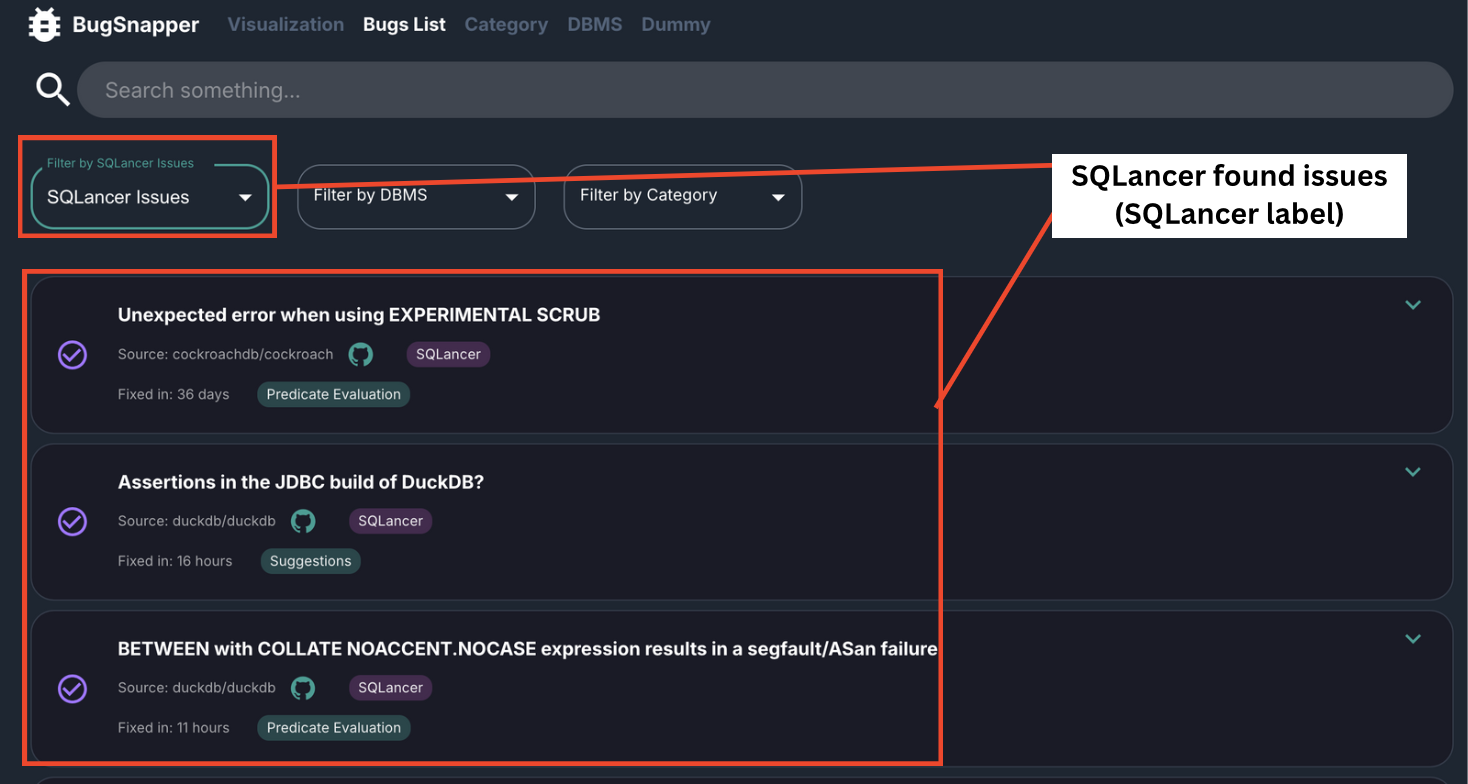 Filter by SQLancer Issues
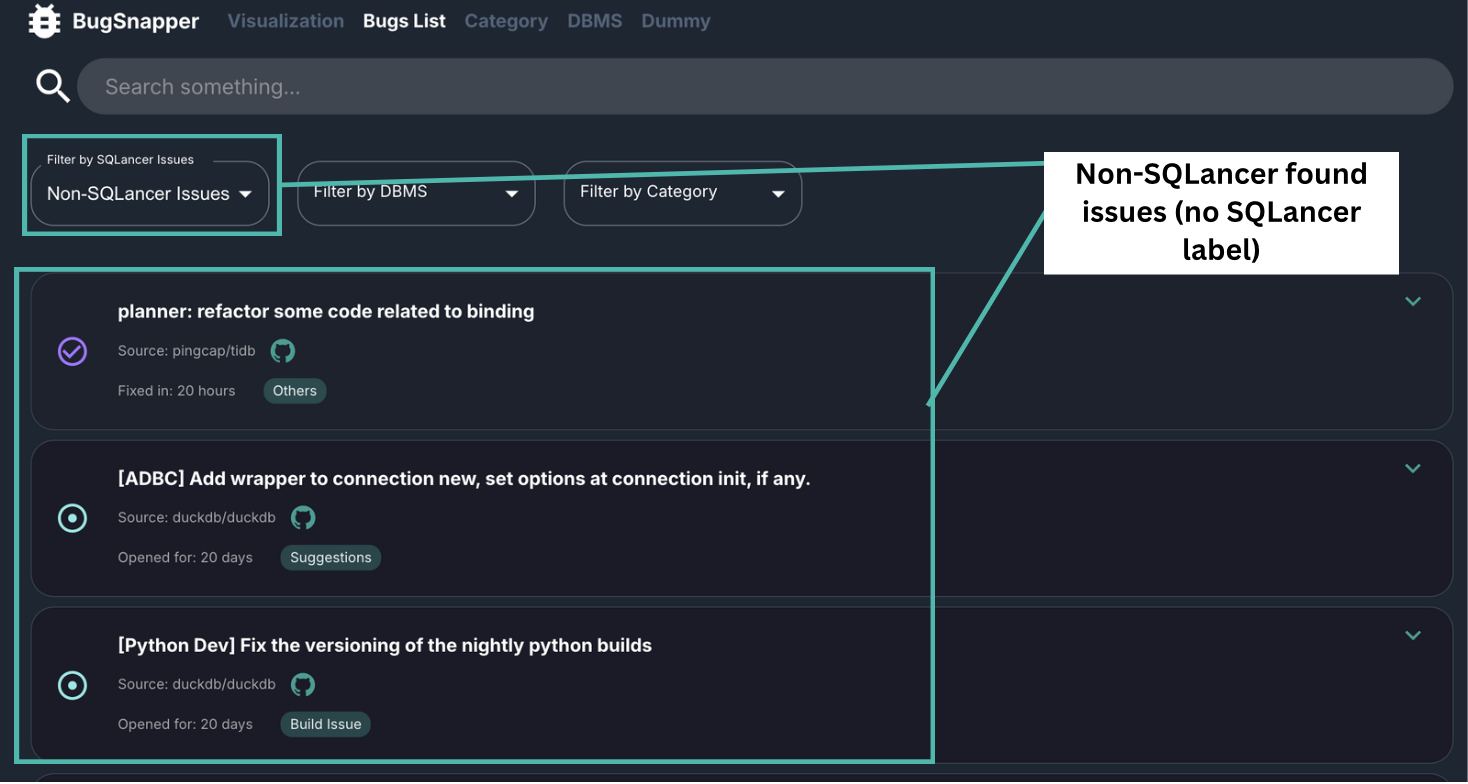 Filter by Non-SQLancer Issues
Feature: Filter Bugs by Category
This feature allows you to filter bug reports based on BugSnapper's predefined categories.
Key Capabilities:
- Filter bugs into meaningful categories which helps users quickly drill down into specific problem areas.
- Provides comparision of bug types across DBMSs or isolate categories to assist in triaging and fixing issues relevant to user's domain.
- For SQLancer developers, this feature helps uncover testing gaps by showing which types of bugs are most commonly found or missed by automated testing.
Steps to use
- Go to the Bugs List Page.
- Locate the cateogry filter dropdown at the top of the page.
- Choose from the following options: Predicate Evaluation, Join Processing, Query Optimisation, Others, Security Vulnerabilities, Performance Bugs, Suggestions, Build Issues or All
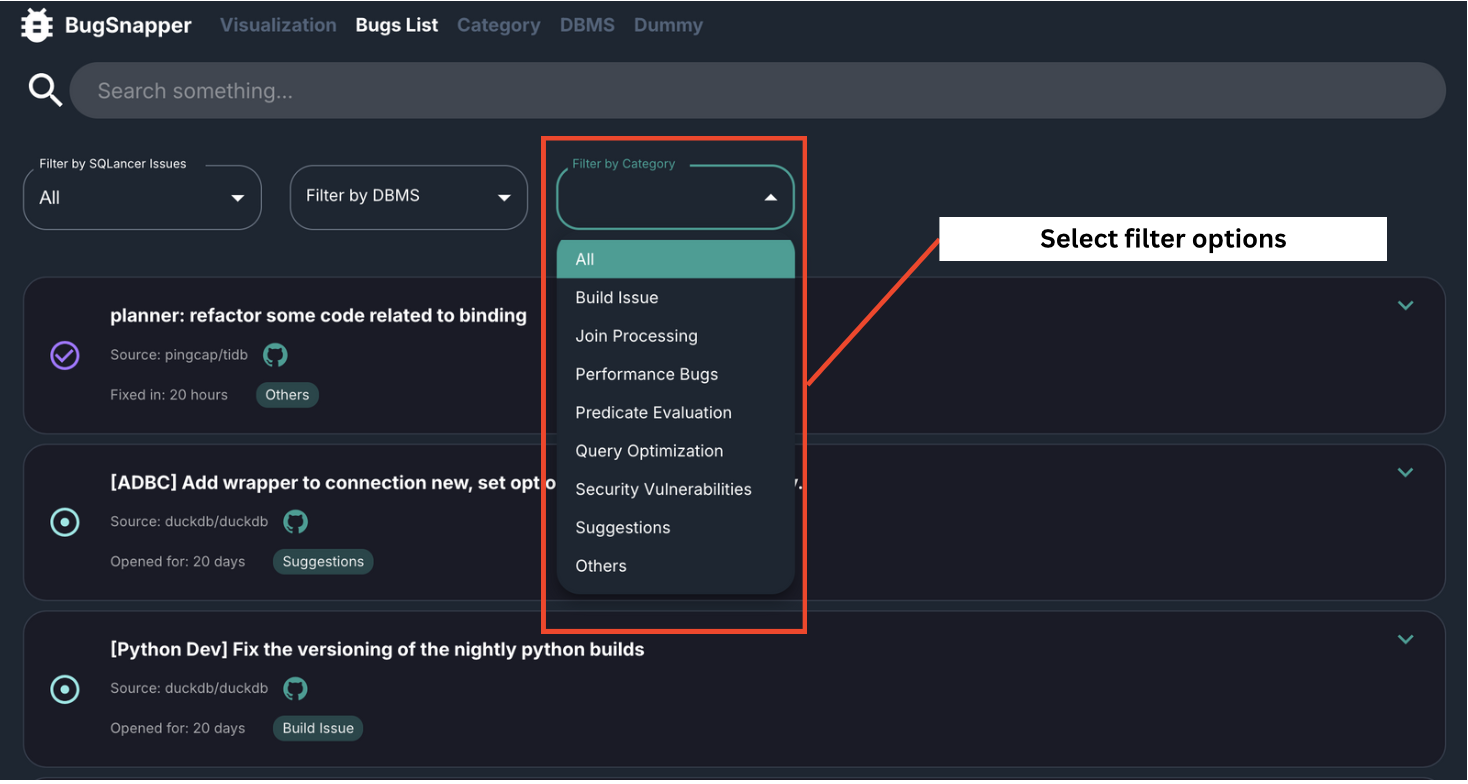
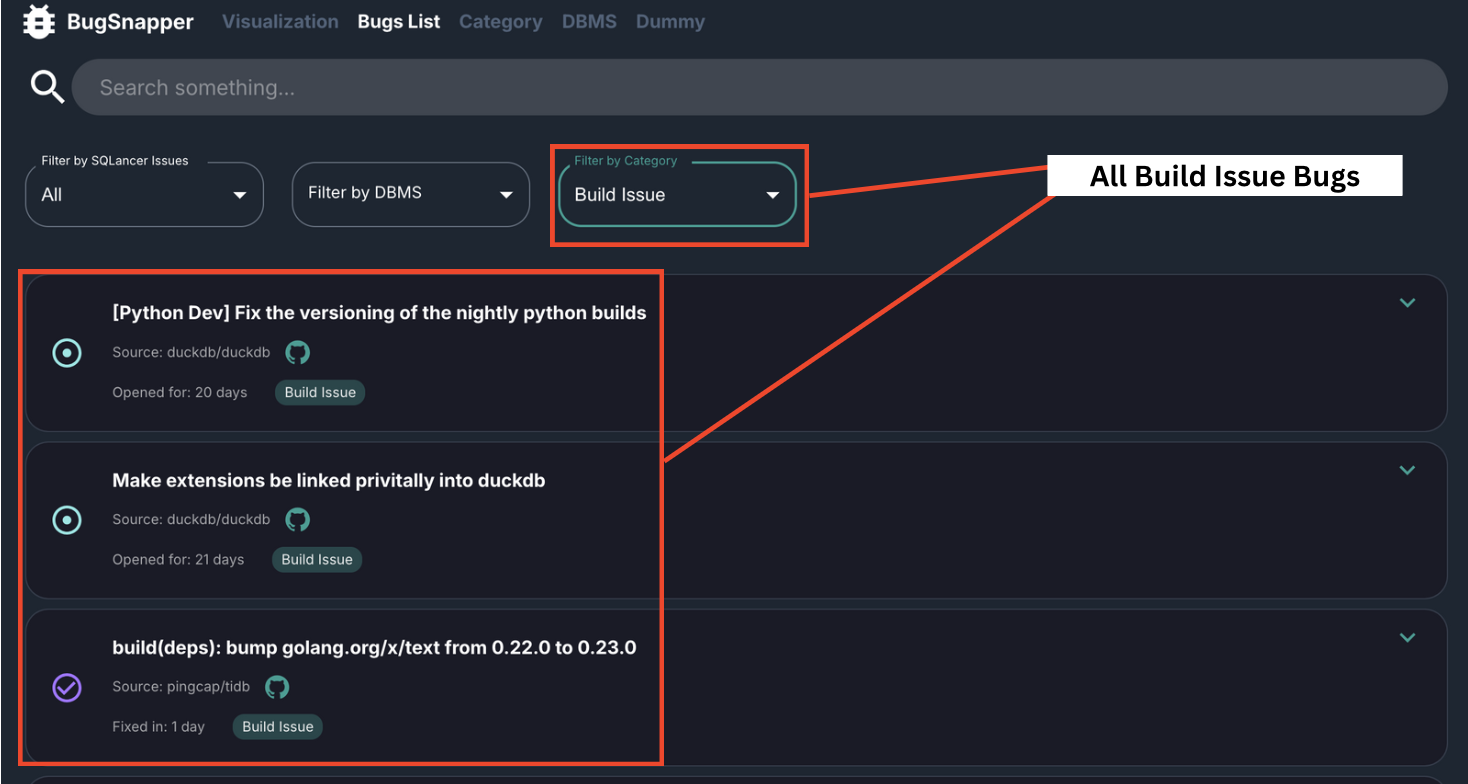 Filter by category issues
Feature: Filter Bugs by DBMS
This feature allows you to filter and view bug reports based on the Database Management System (DBMS) in which the bugs were reported
Key Capabilities:
- Allows for targeted debugging to narrow down the list of bugs to only those affecting a specific DBMS, enabling more relevant and efficient troubleshooting.
- Easily compare the types and frequency of bugs reported across different database systems to identify common weaknesses or inconsistencies.
- For SQLancer users, this filter helps visualize which DBMSs are more thoroughly tested or where bug detection might need improvement.
Steps to use
- Go to the Bugs List Page.
- Locate the DBMS filter dropdown at the top of the page.
- Choose from the following options: Cockroach DB, Duck DB, TiDB or All
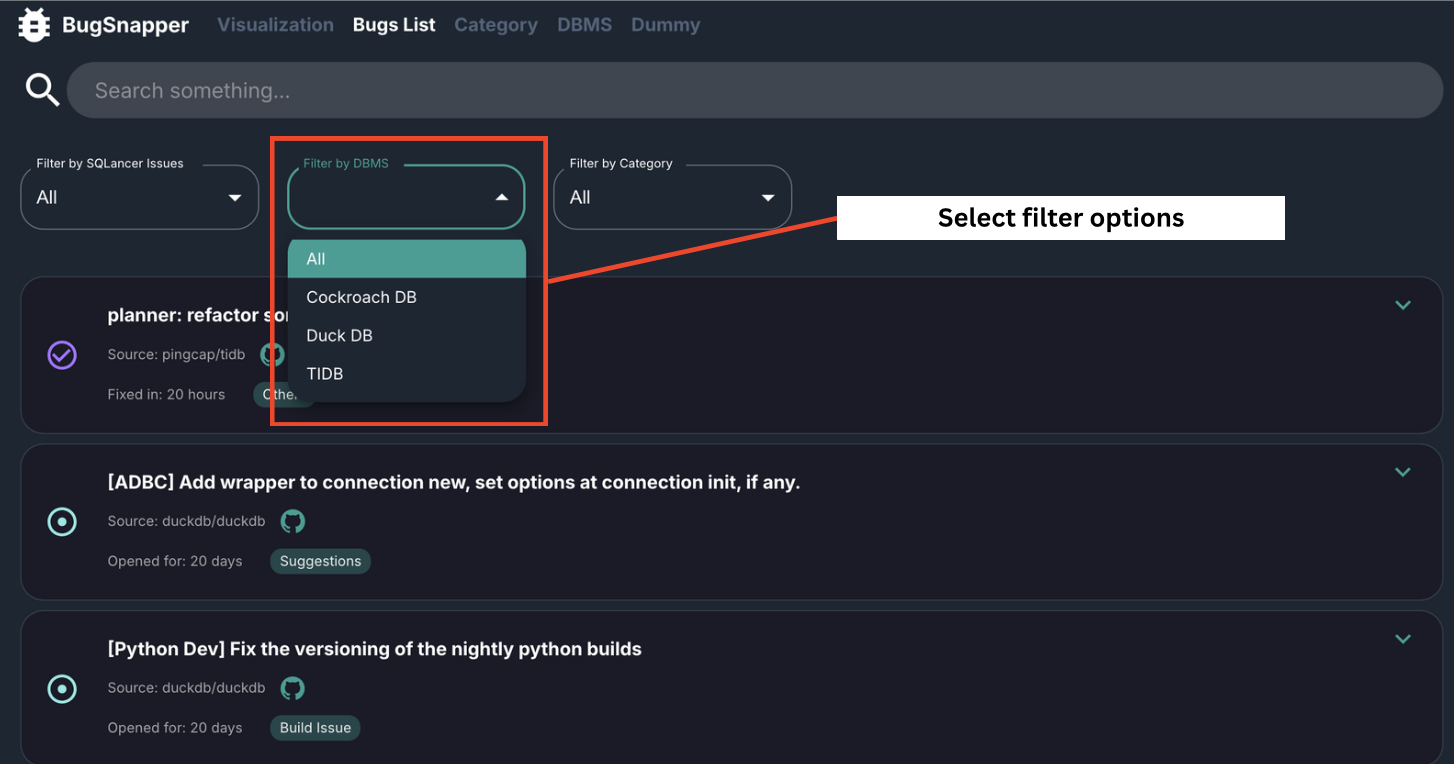
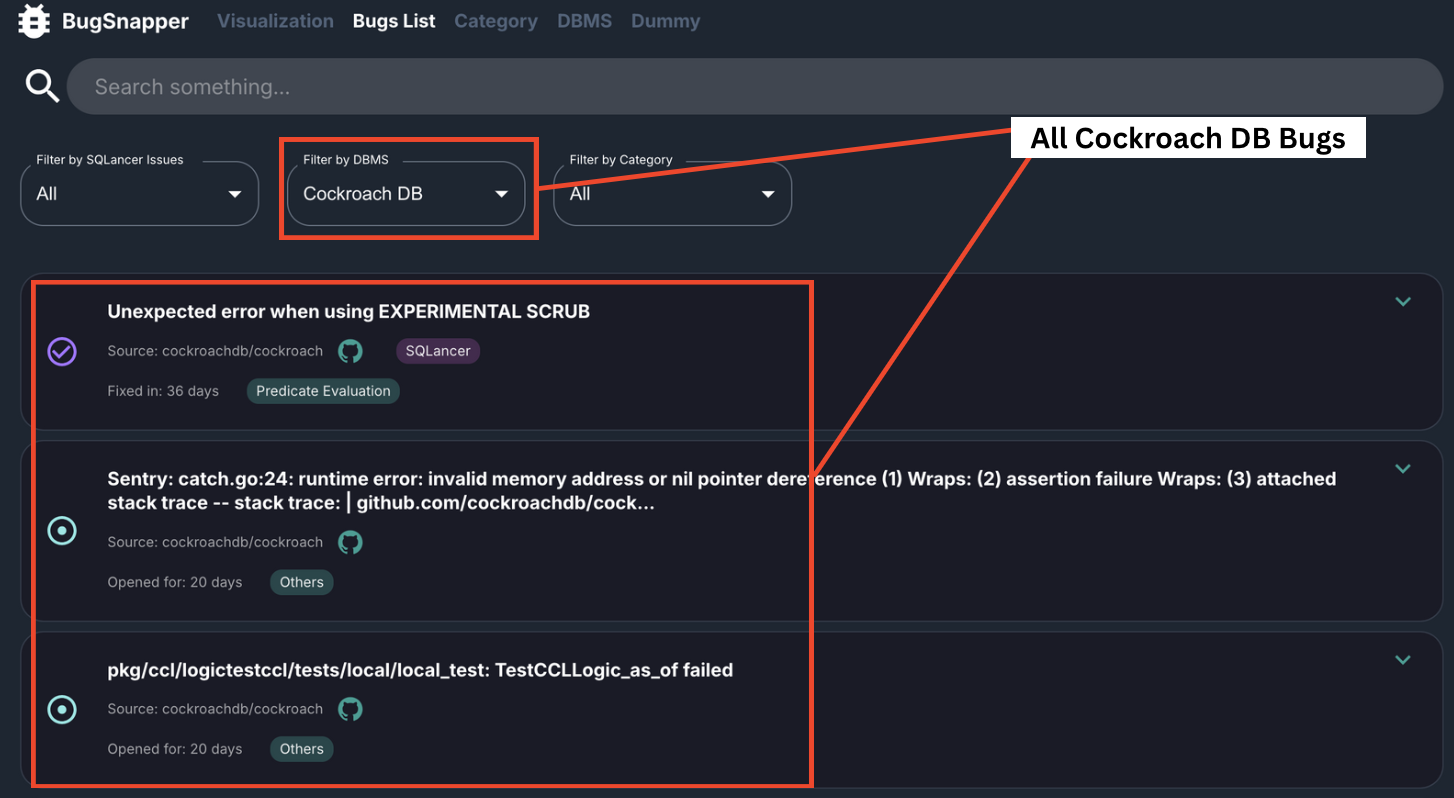 Filter by DBMS issues
Feature: Category Management
This is an admin-only feature used to manage and maintain all BugSnapper generated categories for bug issues.
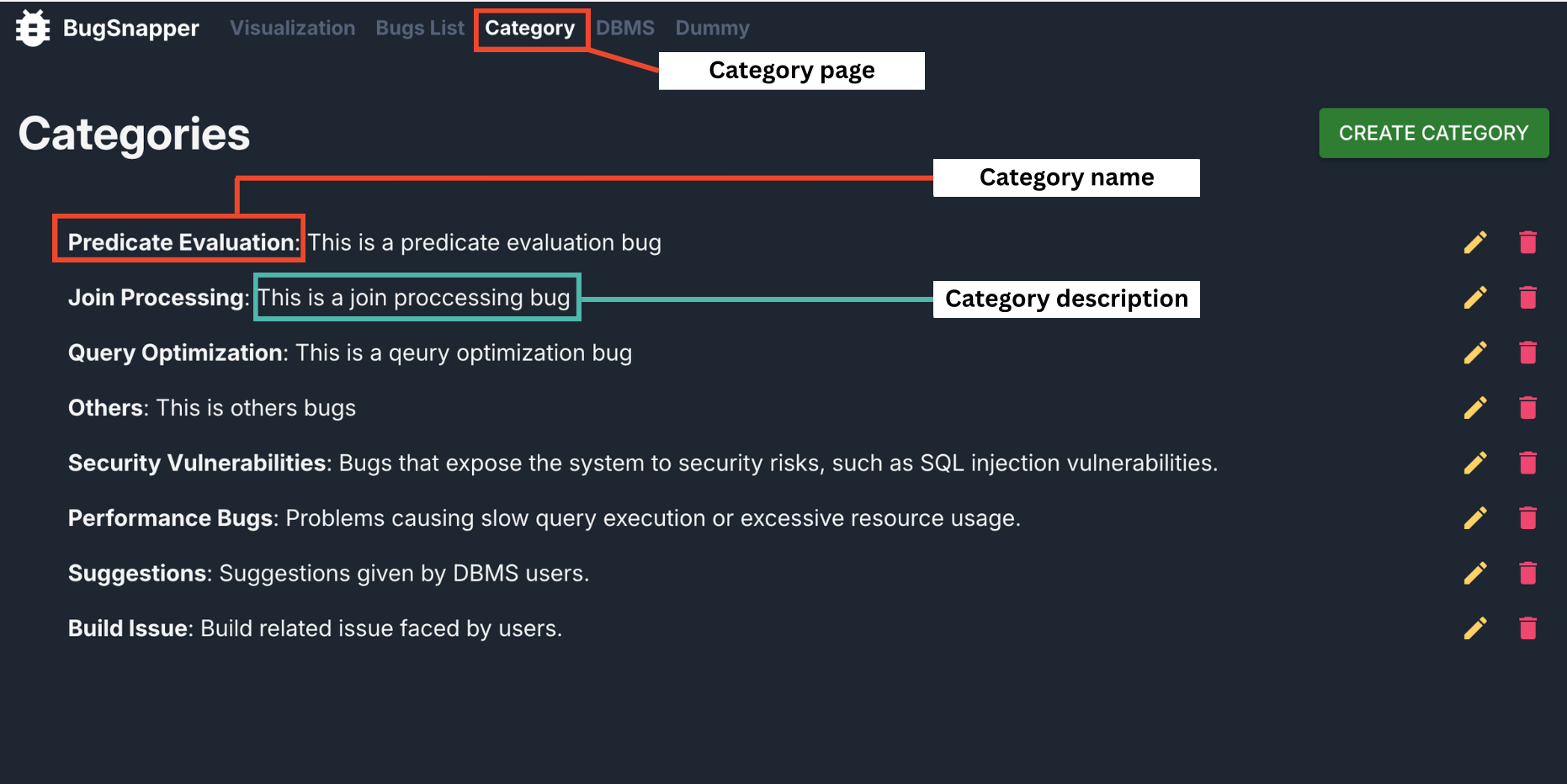 Category Page [Admin Use Only]
Key Capabilities:
- Full CRUD (Create, Read, Update, Delete) functionality for bug issue categories.
- Display of all category names and their respective descriptions.
- Currently, BugSnapper supports the 6 bug categories: Predicate Evaluation, Join Processing, Query Optimisation, Others, Security Vulnerabilities, Performance Bugs, Suggestions and Build Issues
- Manual creation of new categories.
- Manual updating of existing category descriptions.
- Manual deletion of existing categories.
Steps to use
Navigate to the Category page.
A list of category names (in bold) and their descriptions will be displayed.
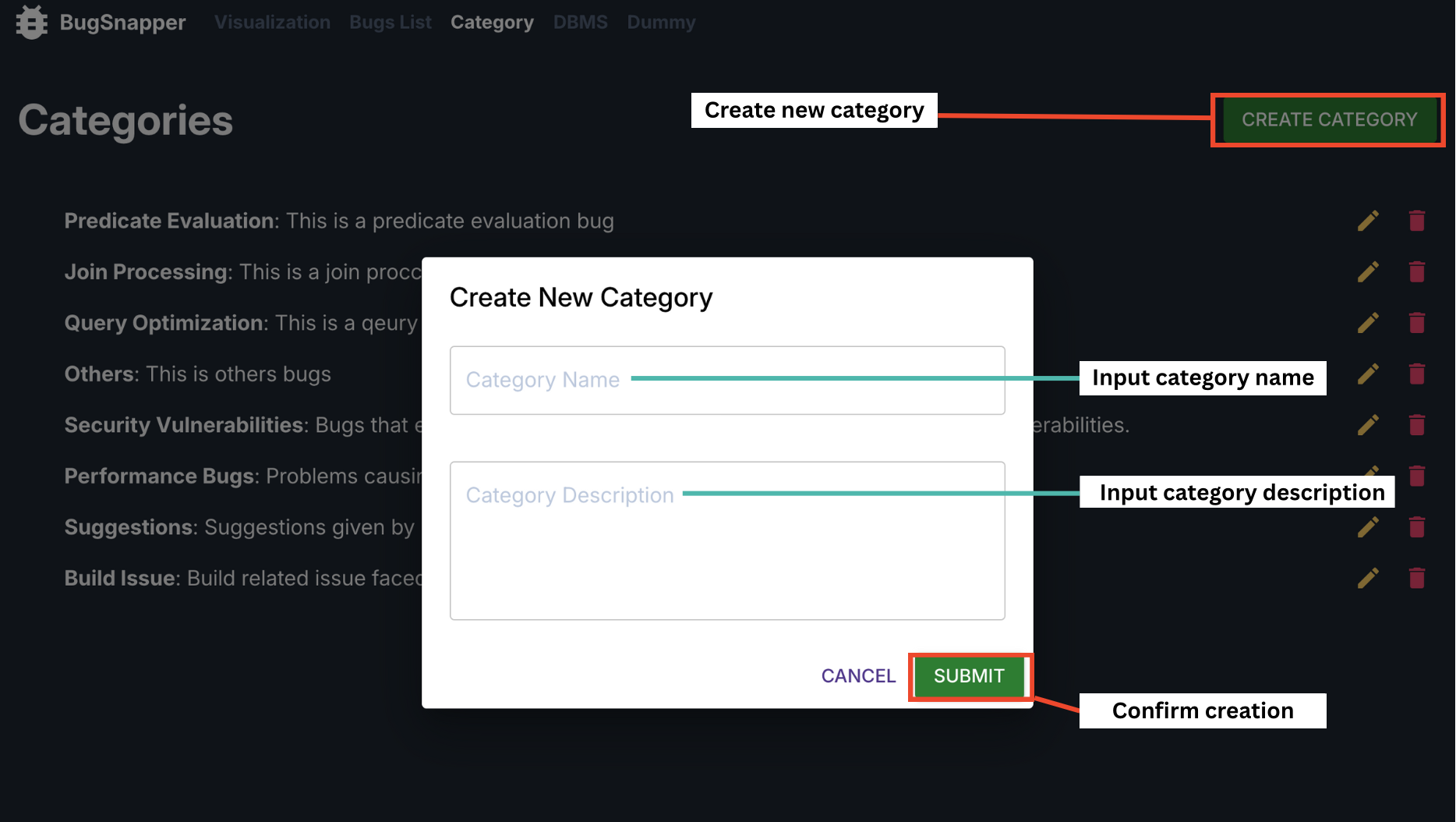
3. To create a new category, click on the "CREATE CATEGORY" button in the top-right corner.
- Enter the desired category name and description, then click "SUBMIT". The new category will then appear on the page.
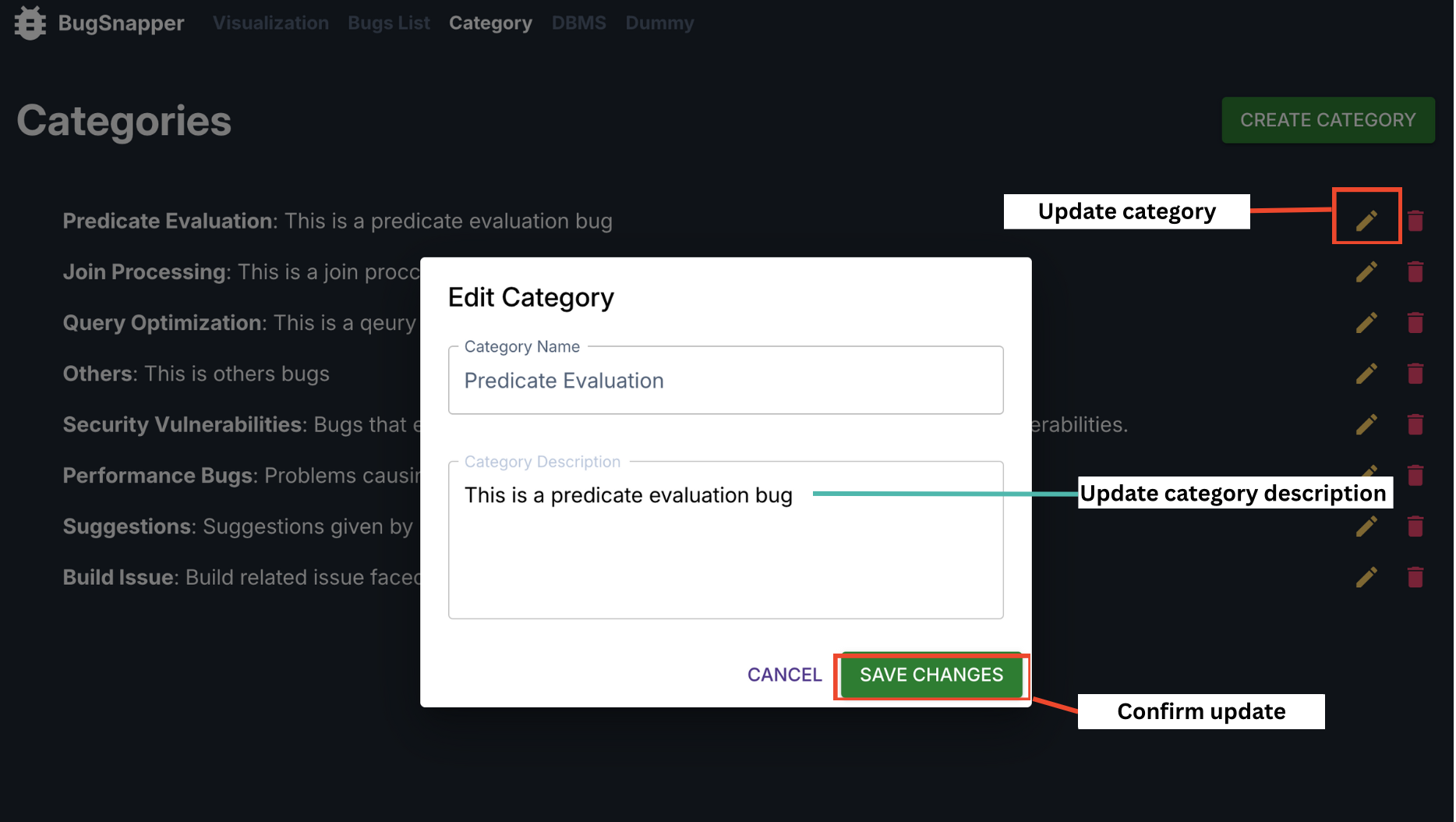
5. To update an existing category, click the edit (yellow pen) icon next to it. Modify the description as needed.
- Click "SAVE CHANGES" to apply your edits. The updated description will be reflected immediately.
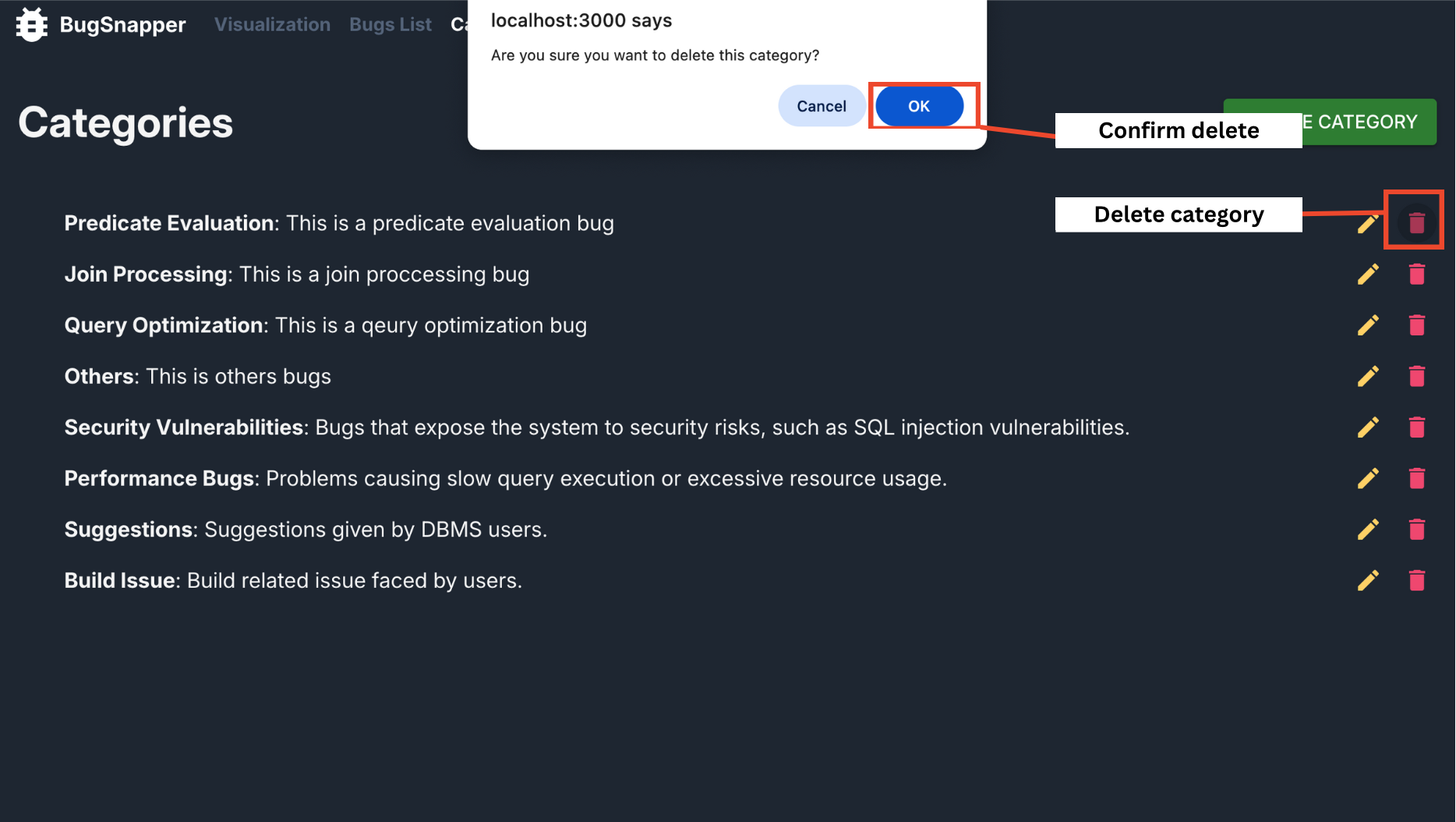
7. To delete a category, click the delete (red bin) icon next to it.
- Confirm deletion by clicking OK. The category will be removed and the change will be reflected on the page.
Feature: Database (DBMS) Management
This is an admin-only feature used to manage and maintain the list of database (DBMS) that BugSnapper supports, which are DuckDB, TiDB and CrockroachDB.
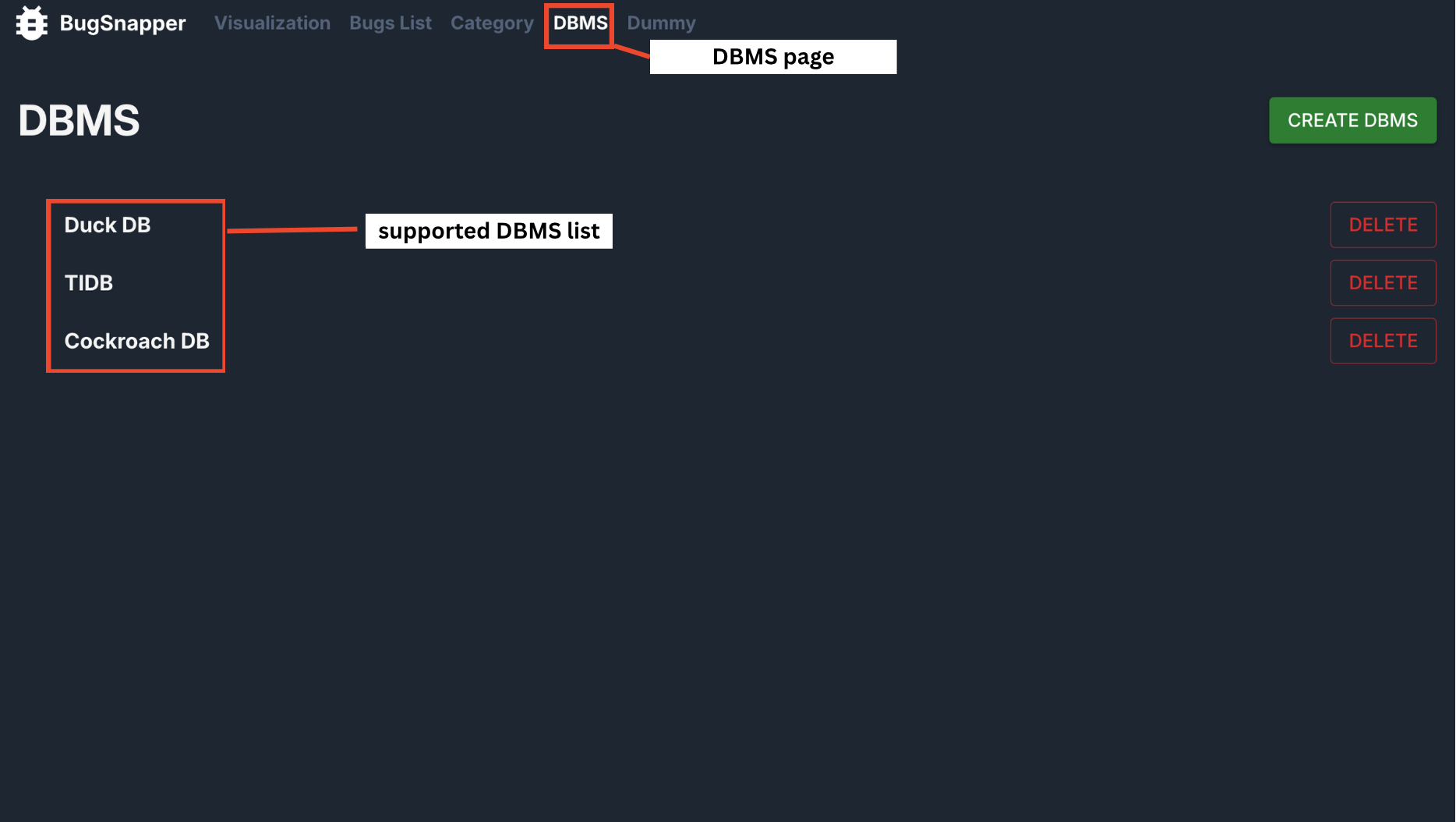 DBMS Page [Admin Use Only]
Key Capabilities:
- Display of all types of DBMS that BugSnapper supports.
- Manual creation of new DBMS.
- Manual deletion of existing DBMS.
Steps to use
Navigate to the DBMS page.
A list of DBMS supported by BugSnapper will be displayed.
To create or add a new DBMS to BugSnapper, click on the "CREATE DBMS" button in the top-right corner.
Enter the desired DBMS name, then click "SUBMIT". The new DBMS will then appear on the page.
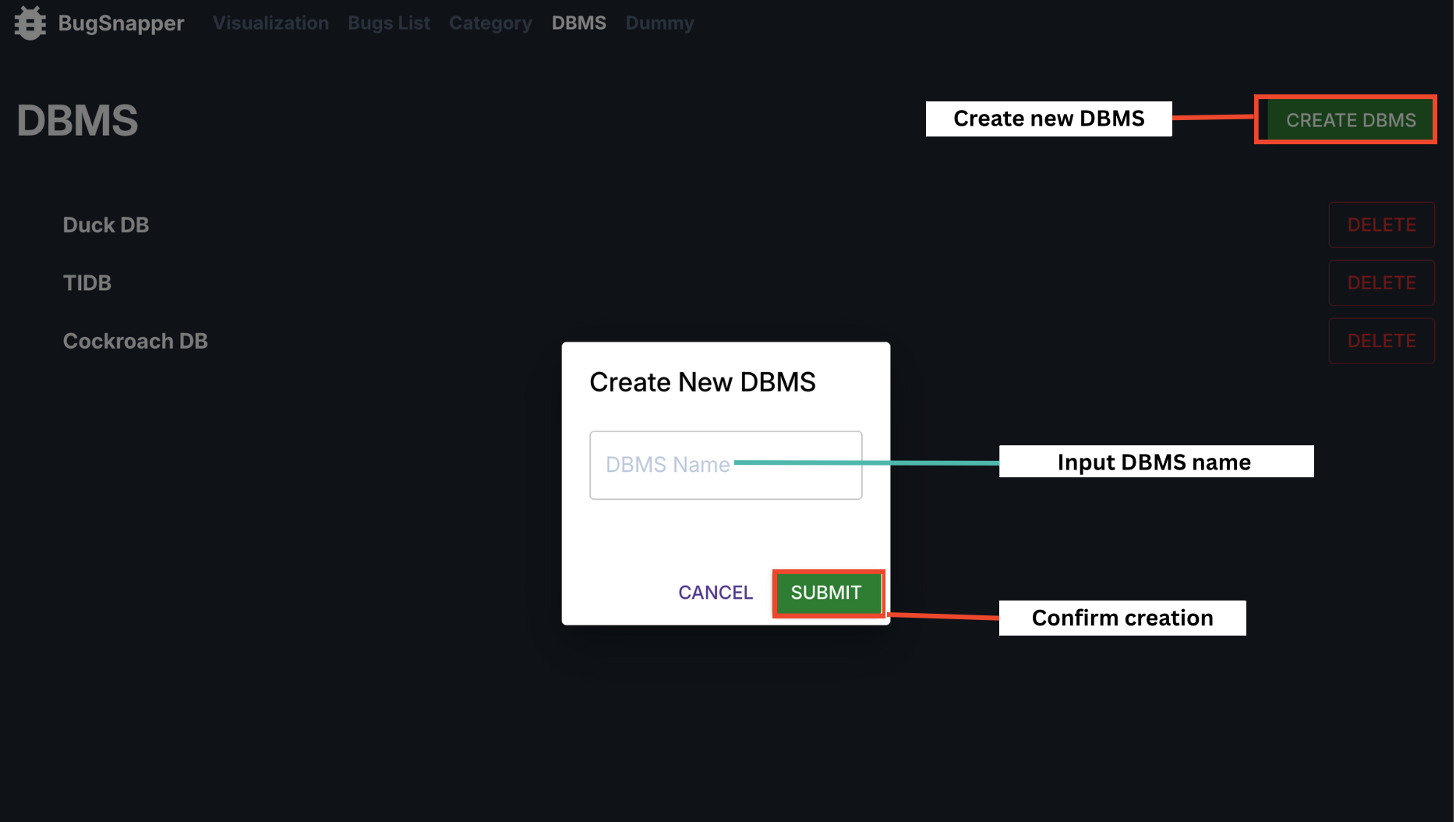
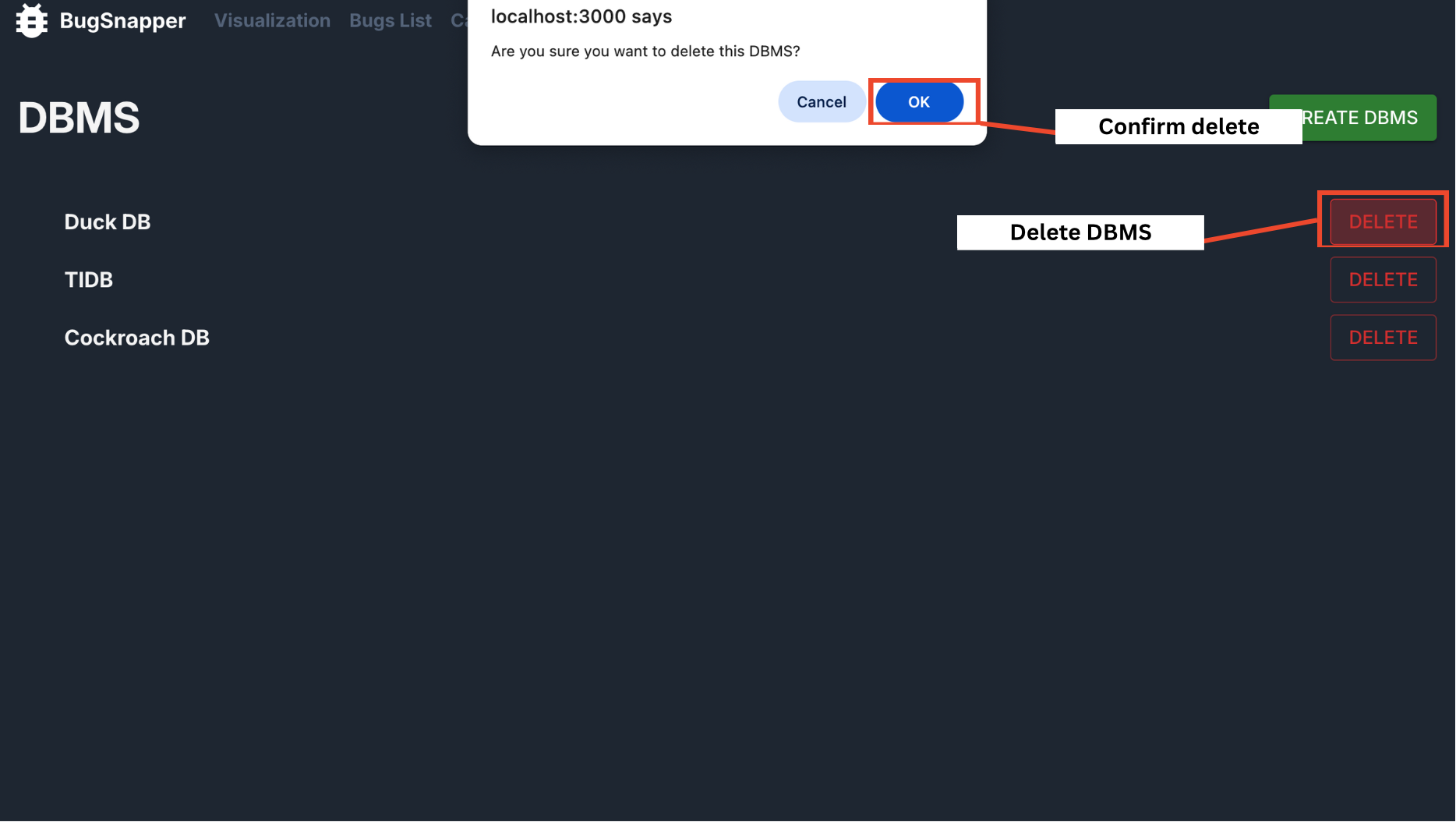
To delete a DBMS, click the "DELETE" button next to it.
Confirm deletion by clicking OK. The DBMS will be removed and the change will be reflected on the page.